EasyManua.ls Logo

Biotek EL800 - User Manual

Biotek EL800
218 pages
Print Icon
To Next Page IconTo Next Page
Loading...
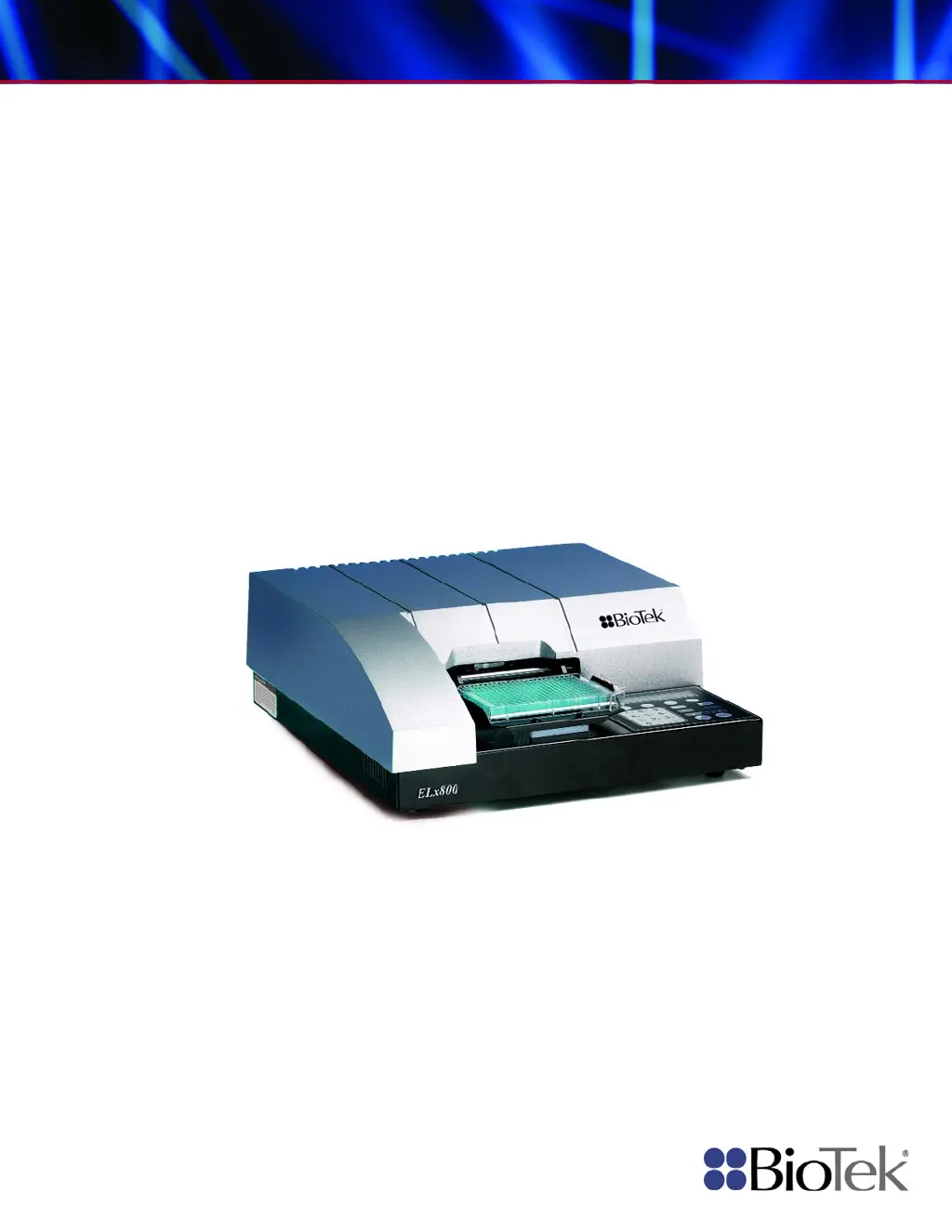
Operator’s Manual
Absorbance Microplate Reader
ELx800

Table of Contents

Questions and Answers

  • M
    martinkennethAug 19, 2025
    What does it mean if the read time dark value is out of range on Biotek EL800 Laboratory Equipment?
    • D
      dillonmichelleAug 19, 2025
      If the 'Read time dark value out of range' error appears on your Biotek Laboratory Equipment, it could be because the measurement electronics background noise has changed since the last power-up self-check, or ambient light may have increased since power-up. In this case, it's best to contact BioTek's Technical Assistance Center for further assistance.
  • S
    Shane DunnAug 21, 2025
    What causes a 'filter not installed' error on Biotek EL800 Laboratory Equipment?
    • K
      Kenneth WilliamsAug 21, 2025
      If a filter is not installed in your Biotek Laboratory Equipment, this may be due to an empty filter location on the filter wheel (all filter locations must have either a filter or a filter blank, BioTek PN 2872086), or the entire filter wheel is not installed. In this case, it's best to contact BioTek's Technical Assistance Center for further assistance.
  • B
    Briana DuffyAug 23, 2025
    What does it mean if the read time air blank is out of range on Biotek EL800 Laboratory Equipment?
    • S
      selena84Aug 23, 2025
      If the 'Read time Air Blank out of range' error appears on your Biotek Laboratory Equipment, it could be because the lamp is unstable. Reboot the system or install a new lamp. To extend lamp life, turn the unit OFF when not in use.
  • K
    Kimberly FletcherAug 26, 2025
    What causes the 'filter signal out of range' error in Biotek EL800 Laboratory Equipment?
    • N
      nicole03Aug 26, 2025
      If the filter signal is out of range on your Biotek Laboratory Equipment, this indicates a light level problem with one or more filters. Verify that filters in the filter wheel match settings in the filter table. A “UV” filter may have been installed in a non-UV instrument. Verify that filters in the filter wheel match settings in the filter table. Also, a blank filter may be incorrectly installed in a filter position. Verify that filters in the filter wheel match settings in the filter table.
  • H
    Heather PaulAug 27, 2025
    What does a 'Calibration checksum error' mean on Biotek EL800 Laboratory Equipment?
    • B
      Brandi PonceAug 28, 2025
      If you receive a 'Calibration checksum error' on your Biotek Laboratory Equipment, it means that the stored checksum value for the calibration data does not match the actual checksum. In this case, it's best to contact BioTek's Technical Assistance Center for further assistance.
  • Z
    Zachary MartinezAug 29, 2025
    What to do if the light beam is not found in Biotek EL800?
    • K
      Kenneth BurnsAug 29, 2025
      If the light beam is not being found in your Biotek Laboratory Equipment, it could be due to several reasons: * A loose belt * A loose motor pulley * A defective motor drive causing the carrier to ignore movement instructions * A failed lamp * A loose filter wheel drive gear or defective motor controller PCB. In any of these cases, it's best to contact BioTek's Technical Assistance Center for further assistance.
  • Y
    yvette42Sep 1, 2025
    What to do if my Biotek Laboratory Equipment reader failed the noise test?
    • I
      Ivan SmithSep 1, 2025
      If the reader failed the noise test on your Biotek Laboratory Equipment, it could be due to external signals penetrating the measurement chamber. Make sure that the bottom and top shrouds, as well as the filter wheel cover, are correctly installed. It could also be due to a faulty motherboard (PN 7330400, 7330410, or 7330415) or daughter board (PN 7330404 or 7330414), the photodiode or power supply being too close to the instrument, or excessive variation in the dark current (background) noise levels of the measurement circuit. In any of these cases, it's best to contact BioTek's Technical Assistance Center for further assistance.
  • J
    Jeremy HerringSep 3, 2025
    What to do if my Biotek Laboratory Equipment reader failed the offset test?
    • B
      Brittany StephensSep 3, 2025
      If your Biotek Laboratory Equipment reader failed the offset test, it could be caused by ambient light leak. Ensure that the plate carrier door is properly closed. It could also be caused by a faulty motherboard (PN 7330400, 7330410, or 7330415) or daughter board (PN 7330404, or 7330414), or the photodiode or power supply may be too close to the instrument. In any of these cases, it's best to contact BioTek's Technical Assistance Center for further assistance.
  • K
    Kimberly MezaSep 5, 2025
    What to do if Carrier X-axis movement failed positional verify in Biotek EL800?
    • N
      nsantosSep 5, 2025
      If the Carrier X-axis movement failed positional verify on your Biotek Laboratory Equipment, this could happen if the belt has slipped because of incorrect tension, a loose motor pulley, or a loose belt clamp, or because of a defective motor drive. In any of these cases, it's best to contact BioTek's Technical Assistance Center for further assistance.
  • E
    Erica GreerSep 7, 2025
    What to do if Carrier Y-axis movement failed positional verify in Biotek EL800 Laboratory Equipment?
    • M
      Michael PerezSep 7, 2025
      If the Carrier Y-axis movement failed positional verify on your Biotek Laboratory Equipment, it may be because the belt has slipped due to incorrect tension, a loose motor pulley, or a loose belt clamp. Another potential cause is a defective motor drive. In any of these cases, it's best to contact BioTek's Technical Assistance Center for further assistance.

Summary

Document Conventions

Intended Use, Quality Control, and Shipping

Safety Warnings and Precautions

Chapter 1: Introduction

Instrument Specifications

Provides technical specifications for the ELx800.

Chapter 2: Installation

Unpacking and Inspecting the ELx800

Instructions for safely unpacking the instrument.

Setting Up the ELx800

Guides on configuring the ELx800 for operation.

Repackaging and Shipping the ELx800

Procedures for safely repackaging and shipping the instrument.

Chapter 3: Operation

Assay Definition Parameters

Defines assay parameters like method, map, formula, and curve fit.

Defining MAP

Sets up plate layout for samples, blanks, and controls.

Defining FORMULA

Creates formulas for data calculation and validation.

Defining CURVE

Configures curve-fitting parameters for assays.

Reading a Microplate

Procedures for performing a plate read.

Printing Reports

Options for printing assay results and data.

Using the Utility Options

Accesses instrument setup and configuration settings.

Chapter 4: Instrument Qualification

Recommended Qualification Schedule

Outlines recommended intervals for instrument testing.

Qualification Procedures

Details the steps for verifying instrument performance.

System Test Procedure

Performs an automated self-test of the instrument.

Absorbance Plate Test

Tests mechanical alignment and optical performance using a test plate.

Liquid Testing

Confirms performance using liquid samples.

Chapter 5: Maintenance and Decontamination

Replacing the Bulb

Instructions for replacing the instrument's lamp.

Decontamination Procedure

Steps for decontaminating the instrument for safety.

Chapter 6: Troubleshooting and Error Codes

Error Codes

Lists and explains instrument error codes.

General Errors

Details non-fatal error conditions and their causes.

Fatal Errors

Lists critical errors requiring immediate attention.

Appendix A: Computer Control

Controlling the Reader With Gen5

Setup and operation of Gen5 software with the reader.

Appendix B: Using 384-Well Geometry

Appendix E: Instructions for Programming a New Assay

Biotek EL800 Specifications

General IconGeneral
BrandBiotek
ModelEL800
CategoryLaboratory Equipment
LanguageEnglish

Related product manuals