164 | Appendix B: Using 384-Well Geometry
BioTek Instruments, Inc.
9. Select a Reading Type.
10. Define the Filters (wavelengths) at which the plate will be read.
11. Select 384 WELL PLATE for the Plate Type.
12. Define other reading parameters as necessary. Click the Help button for
assistance.
13. When you have finished defining the parameters, click OK. KC4™ will
automatically validate the defined parameters. If any parameters are incorrect
(or incomplete), follow the instructions provided by KC4 for correcting the
parameters.
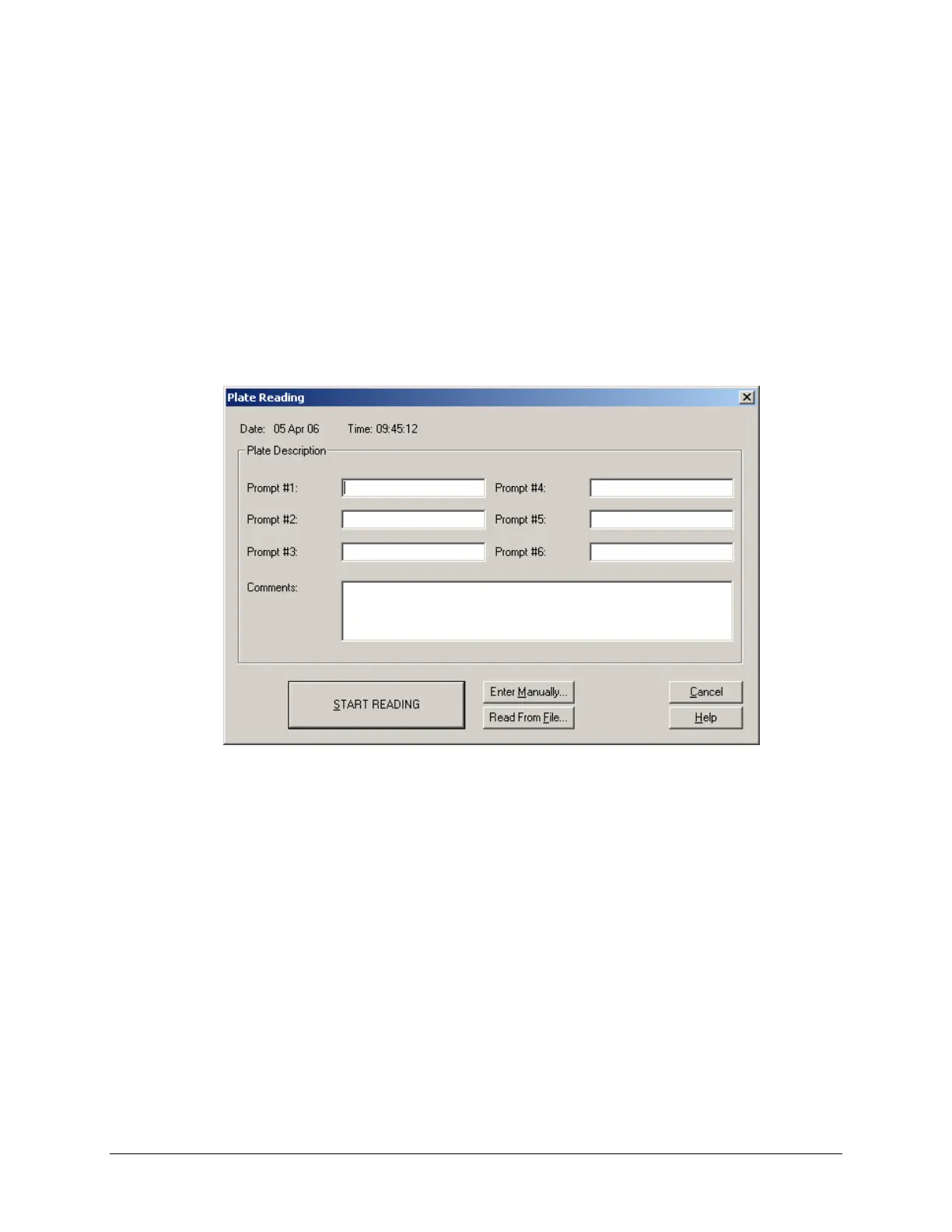
14. Select Data|Read Plate. The ‘Plate Reading’ dialog will appear:
Figure 32: Plate Reading dialog
15. Enter any comments, place the 384-well plate on the carrier, and then click
START READING to begin the plate read. The plate will be read and then the
raw data results will be displayed in the ‘Results’ screen for one of the
wavelengths tested.
To view the data for anther wavelength that was tested, click the drop-
down arrow in the Results screen’s
Data field to select the desired
wavelength.
To print the results, select
Data|Print.
To analyze or manipulate results,
Protocol parameters should be
defined. Refer to KC4's Help system or User's Guide for instructions.



 To Next Page