Perform a 384-Well Plate Read in KCjunior™ | 165
ELx800 Operator’s Manual
Perform a 384-Well Plate Read in KCjunior™
You will need the ELx800NB model to perform these instructions.
(Other ELx800™ models do not support 384-well geometry.)
1. Start KCjunior.
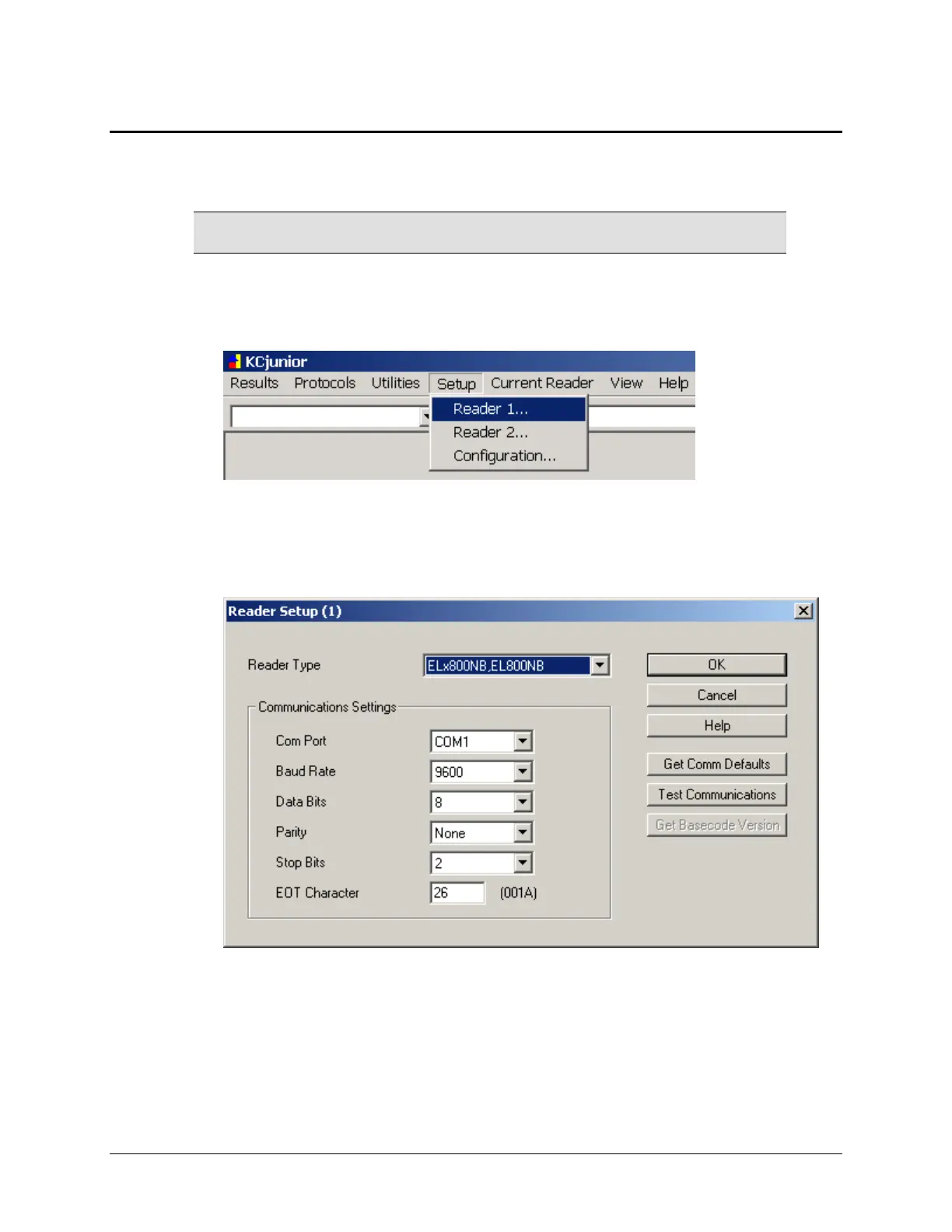
2. At KCjunior’s main screen, choose Setup|Reader 1 (or Reader 2).
Figure 33: Setup|Reader dialog
3. The ‘Reader Setup’ dialog will appear. Select ELx800NB, EL800NB for the
Reader Type.
Figure 34: Reader Setup dialog
4. Define the communication parameters.
5. Click Test Communications to establish communication with the reader,
then click
OK. If the test fails, follow the directions provided by KCjunior.



 To Next Page