24 | Chapter 2: Installation
BioTek Instruments, Inc.
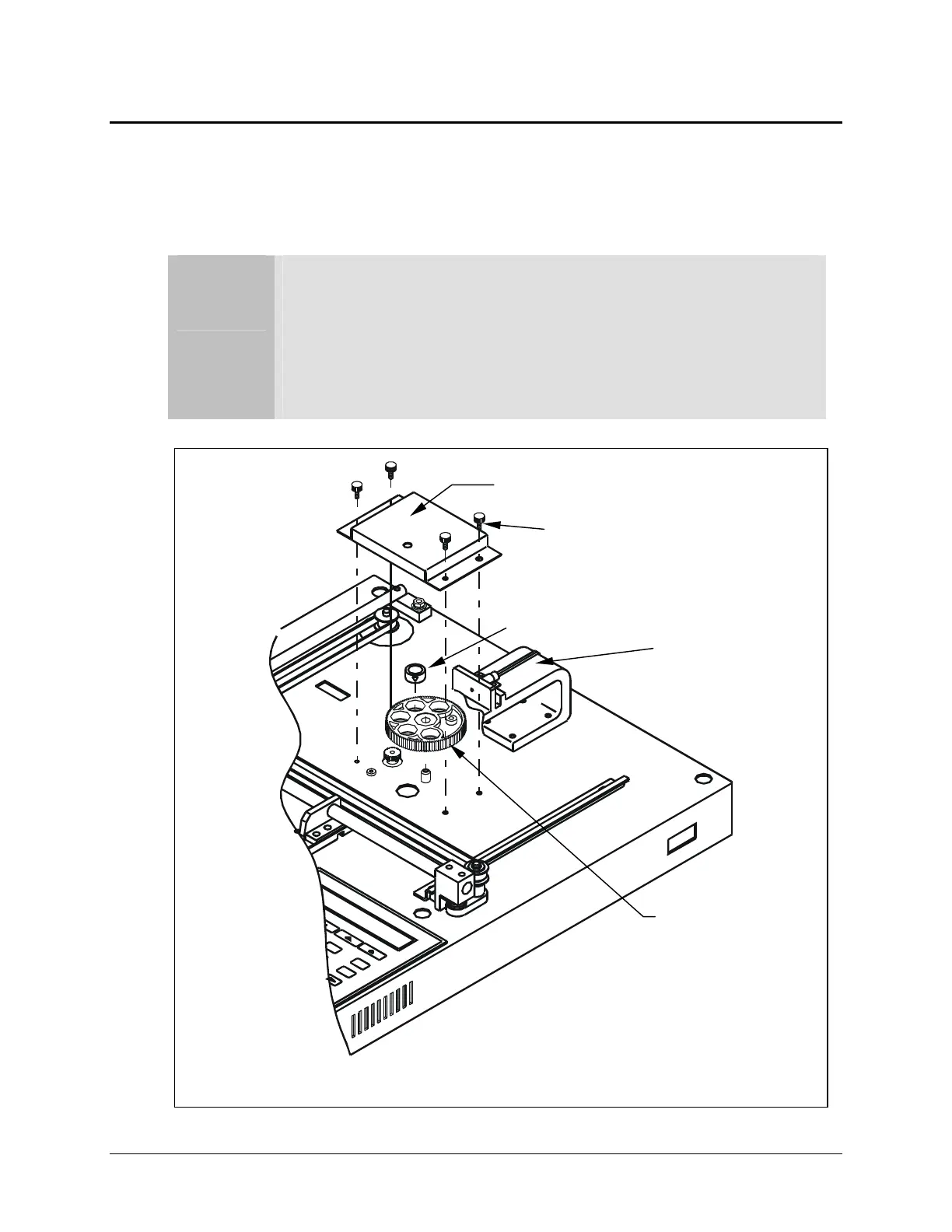
Installing Additional Filters
Installed in the internal, five-position filter wheel are the filters that come standard
with the ELx800™ (standard models have 405, 450, 490, 630 nm filters; the UV model’s
filter set is 405, 450, 490, 630 and 340 nm).
Important! Keep track of all filter locations. The physical
location of the filters must match the filter locations mapped in
the reader’s software filter table. The filter wheel must have no
empty locations; all locations must be filled with either a filter or
a blank plug. Install all filters with the arrow denoting the light
direction pointing downward.
Figure 7: Filter wheel assembly
Filter
Filter wheel cover
Thumbscrew
Filter wheel
O
tics arm



 To Next Page