166 | Appendix B: Using 384-Well Geometry
BioTek Instruments, Inc.
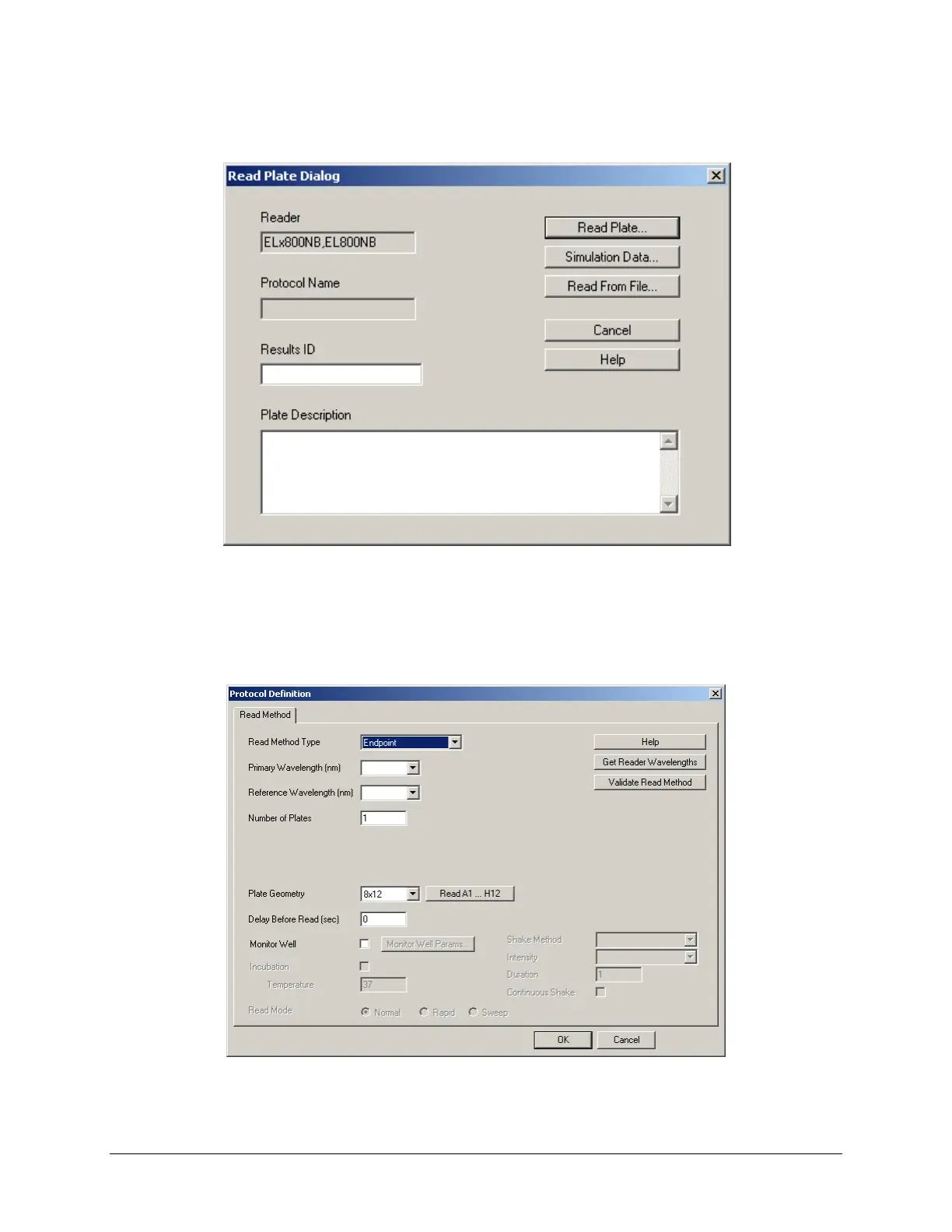
6. Click the Read Plate button in KCjunior’s main screen. The ‘Read Plate
Dialog’ will appear:
Figure 35: Read Plate dialog
7. If desired, enter the Results ID and Plate Description, then click Read
Plate
.
8. The ‘Protocol Definition’ dialog will appear.
Figure 36: Protocol Definition dialog



 To Next Page