EasyManua.ls Logo

Biotek 405 TS - User Manual

Biotek 405 TS
123 pages
Print Icon
To Next Page IconTo Next Page
Loading...
Getting Started Guide
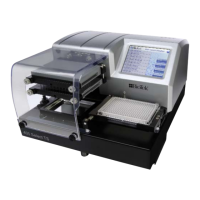
Microplate Washer
405
TS

Questions and Answers

  • L
    Lisa MorenoAug 15, 2025
    Why does my Biotek Laboratory Equipment produce an error related to lubricant?
    • T
      Theresa RodriguezAug 15, 2025
      To avoid instrument errors with Biotek Laboratory Equipment, do not apply lubricants to the microplate carrier or carrier track.
  • C
    Craig HernandezAug 18, 2025
    How to prevent electrical shock with Biotek Laboratory Equipment?
    • R
      Robert ParkerAug 18, 2025
      To prevent electrical shock and fire hazards with Biotek Laboratory Equipment, ensure the instrument’s power supply or power cord is connected to a power receptacle that provides voltage and current within the specified rating for the system.
  • K
    Kristina SchultzAug 21, 2025
    What happens if I incorrectly connect the power supply to my Biotek Laboratory Equipment?
    • K
      Kristi ThomasAug 21, 2025
      To prevent damage to internal components of Biotek Laboratory Equipment, do not plug an external 24-VDC power supply into the 405 TS’s port, as it will permanently damage internal components. Note that the waste sensor port on the back of the 405 TS is the same type as the 24-VDC power connector on the back of the BioStack, but using it incorrectly can cause damage.
  • L
    lorilambAug 25, 2025
    What to do if I spill liquid on my Biotek Laboratory Equipment?
    • M
      Michelle BarronAug 26, 2025
      To prevent potential shock hazards or instrument damage from liquid spills on Biotek Laboratory Equipment, avoid spilling liquids on the instrument and wipe up all spills immediately.
  • N
    Nancy SchmidtAug 27, 2025
    How to protect Biotek Laboratory Equipment from sodium hypochlorite?
    • E
      Erik McknightAug 27, 2025
      To prevent damage to Biotek Laboratory Equipment from sodium hypochlorite exposure, do not expose any part of the instrument to the recommended diluted sodium hypochlorite solution (bleach) for more than 20 minutes.
  • K
    Karen RogersAug 30, 2025
    How to avoid erroneous test data with Biotek Laboratory Equipment?
    • R
      Ricardo ButlerAug 30, 2025
      To avoid erroneous test data from Biotek Laboratory Equipment, the operator must follow the manufacturer’s assay package insert when modifying software parameters and establishing washing or dispensing methods.
  • T
    Thomas HubbardSep 2, 2025
    Why is my Biotek Laboratory Equipment's performance compromised over time?
    • C
      Charles HillSep 2, 2025
      To prevent performance compromise over time with Biotek Laboratory Equipment, especially when using solutions containing proteins like bovine serum albumin (BSA), adhere to a strict maintenance protocol.
  • N
    Nicole MossSep 5, 2025
    How to prevent corrosion in Biotek Laboratory Equipment?
    • E
      Edward LoveSep 5, 2025
      To prevent corrosion of parts in Biotek Laboratory Equipment, make sure that any spilled buffer solution is wiped off the instrument.
  • J
    Joann WattsSep 8, 2025
    What happens if I don't follow the guidelines for Biotek Laboratory Equipment?
    • R
      Richard FrazierSep 8, 2025
      To ensure safe operation of Biotek Laboratory Equipment, operate this equipment according to the guidelines and safeguards specified in this manual. Failure to do so can result in a hazardous condition.
  • K
    Kara NicholsSep 12, 2025
    Why is my Biotek Laboratory Equipment not working properly?
    • G
      george51Sep 12, 2025
      To prevent interference with proper operation of Biotek Laboratory Equipment, do not use this device in close proximity to sources of strong electromagnetic radiation.

Summary

Quick Start

Install the 405 TS

Guidelines for removing shipping hardware and installing the instrument.

Optimize Performance

Review best practices for optimal instrument performance.

Review Safety Information

Review essential safety guidelines and precautions for instrument operation.

Notices

BioTek Instruments Inc.

Contact information and legal disclaimers for BioTek Instruments.

Global Service and Support

BioTek Service Centers

Contact details for BioTek's international service and support centers worldwide.

BioTeks Customer Resource Center

Intended Use Statement

Defines the intended applications and limitations for the 405 TS instrument.

Warnings

Key warnings regarding instrument operation, safety, and maintenance procedures.

Installation and Setup

Install the 405 TS

Comprehensive guide for installing the 405 TS instrument.

Unpack and Inspect the Instrument

Steps for safely unpacking and inspecting the instrument and its components.

Remove the Shipping Hardware

Instructions for removing protective shipping brackets before operation.

Setting Up the 405 TS

Guidance on connecting vacuum pump, tubes, and bottles for system setup.

Connect the Vacuum Pump, Tubes, and Bottles

Diagram and instructions for connecting fluid supply and waste system components.

Install the Fluid Supply System

Steps for preparing the supply bottles and attaching tubing with quick release connectors.

Connect to Host Computer

Procedure for connecting the 405 TS to a computer using a USB cable.

Connect to Power

Critical safety warnings and steps for connecting the instrument's power supply.

Instrument Configuration

Define Instrument Settings

Steps to configure essential instrument parameters and settings.

Setting the Time and Date

Procedure for setting the instrument's internal clock and date for accurate logging.

Create a protocol template

Steps to create a reusable protocol template for efficient protocol development.

Performance Verification

Verify Performance

Procedure to confirm the instrument is operating correctly before first use.

Verify the Washer

Procedure to prime the washer manifold and confirm proper function.

Run the Verify Test (Q Models Only)

Instructions for running the Verify test on models equipped with Verify™ Technology.

Basic Operation

Touch Screen Basics

Introduction to the instrument's touch screen interface and basic navigation.

Create or Modify a Protocol

Steps for creating new or editing existing washing protocols.

Optimize Performance

Guidelines to ensure optimal performance and prevent common issues.

Special Applications

Operating with the BioStack

Information on integrating and operating the BioStack microplate stacker.

Cell Wash

Information on cell wash assay support and the low-flow fluid path.

Biomagnetic Separation - Magnetic Bead Assays

Information on using magnets with the microplate carrier for magnetic bead assays.

Vacuum Filtration for Filter Plate Assays

Instructions for using the vacuum filtration accessory kit with filter-bottom microplates.

Maintenance

Overview

General information on preventive maintenance for ensuring optimal instrument performance.

Recommended Maintenance Schedule

Summary of preventive maintenance tasks, their frequency, and associated onboard programs.

Daily Maintenance

Routine procedures for daily cleaning and flushing to prevent tube clogging and maintain instrument readiness.

AutoClean the Washer

Instructions for using the Ultrasonic Advantage™ feature for thorough cleaning of the wash manifold.

Removing Protein Residuals and Fungi Growth

Procedures to remove protein residues and fungi growth from the fluid path.

Safeguards and Troubleshooting

Hazards and Precautions

Essential warnings and precautions to ensure safe operation and prevent damage.

CE Mark

Information regarding the instrument's compliance with CE marking standards.

Electromagnetic Interference and Susceptibility

Guidelines on maintaining a compatible electromagnetic environment for optimal performance.

Troubleshooting

Guide to resolving instrument errors, communication issues, and common problems.

Specifications and Package Contents

Physical Specifications

Details on the instrument's physical dimensions, weight, and operating conditions.

Performance Specifications

Key performance metrics including residual volume, filtration efficiency, and dispense precision.

Package Contents

Lists all components typically included with the instrument and their part numbers.

Accessories and Compatibility

Optional Accessories

Lists various accessories available for purchase, categorized by function.

405 TS;LS Chemical Compatibility Chart

Table listing materials used in the instrument and their compatibility with various chemicals.

Training and Reference

405 TS Customer Training Guide

Training modules covering instrument hardware, software, applications, and exercises.

LHC Software

Training modules on establishing communication, Target Instrument Settings, and protocol creation.

Preventive Maintenance

Training on maintenance schedules, cleaning procedures, and review of maintenance programs.

Special Applications

Training on specific applications like cell wash, magnetic bead assays, and vacuum filtration.

Exercises

Practical exercises for creating protocols for ELISA and BioStack, and running a Quick Wash.

Reference Material

Operators Manuals and Help Guides

List of available reference materials, including operator's manuals and help guides.

Biotek 405 TS Specifications

General IconGeneral
TypeMicroplate Washer
Model405 TS
ManufacturerBioTek
Plate Formats96-well
Dispense Volume Range25-3000 μL/well

Related product manuals