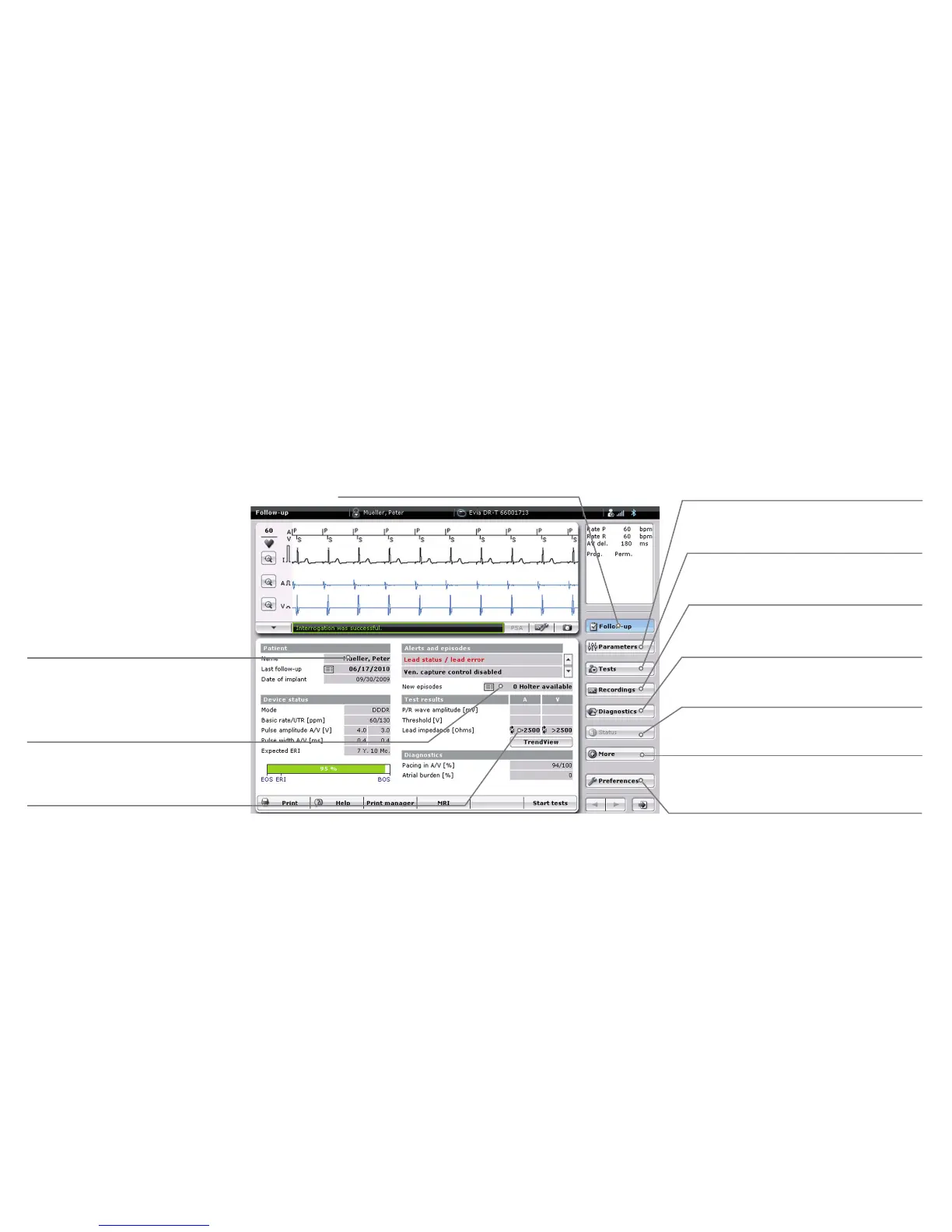
Navgaton
Summary of the most important
follow-up data.
All parameters displayed
in bold print can be selected.
Other application windows are
opened on selection.
Change the programmable
parameters of the implanted device.
Display the signals
recorded by the implanted device.
Perform tests
(e.g. threshold test).
Display all interrogated
implanted device statistics.
Summary of the status of
the implanted device.
Open the patient data in the
[Parameters] application window.
Open the list of recently recorded
signals in the
[Recordings]
application window.
Open the corresponding test in the
[Tests] application window.
Adapt the basic settings for
individual configuration.
Print manager
(list of all stored printing data).



 To Next Page