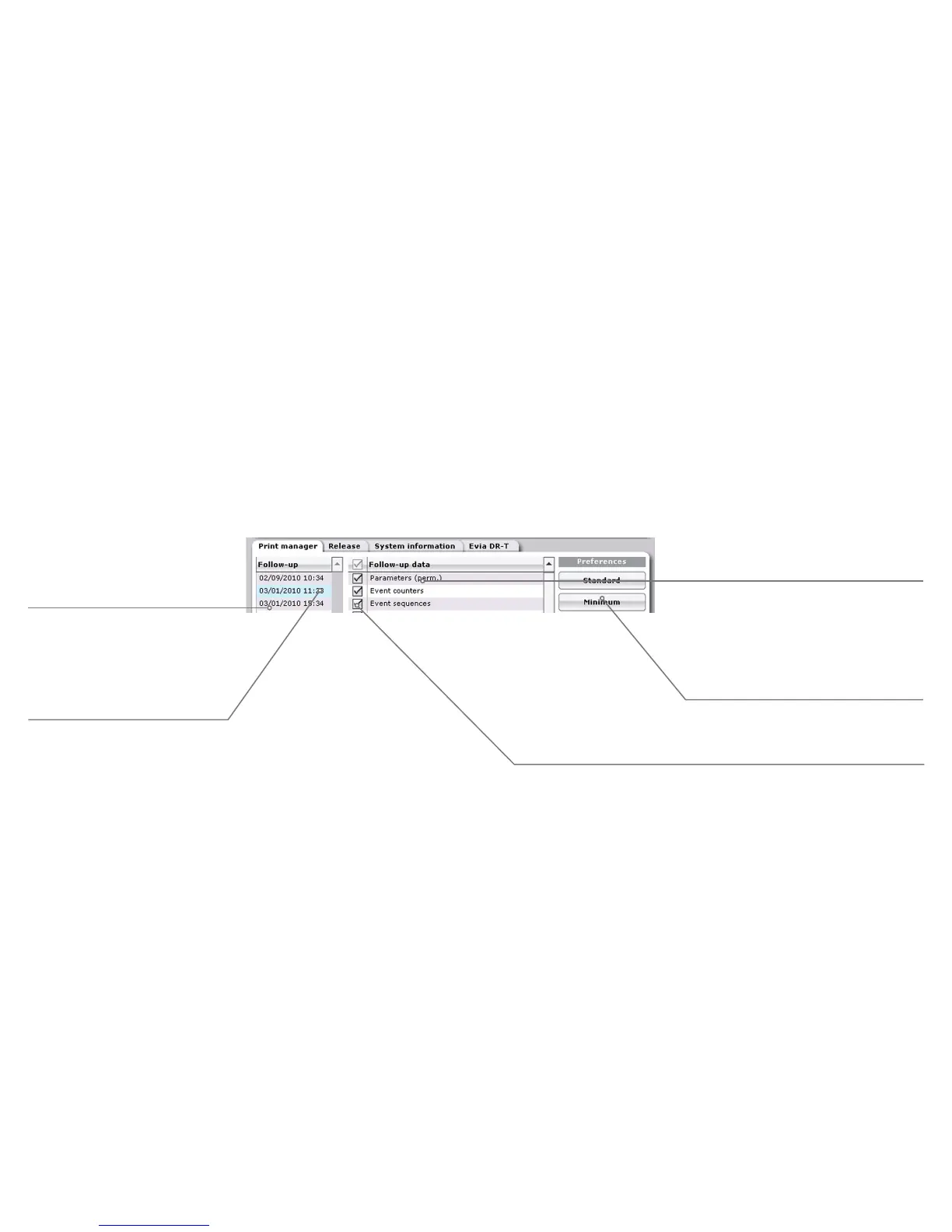
Printing during follow-up
List of available data for
activated follow-up.
List of all stored follow-ups for the
implanted device being interrogated.
The activated follow-up is
highlighted in blue.
The current follow-up session is
selected by default.
Check box for selecting or deselecting
the follow-up data to be printed.
The
[Print] button is available in every application window for immediate printing. All data
interrogated and produced during follow-up are automatically stored and can be displayed in the
Print manager tab at any time using the
[More] button.
Keys for selecting the print profiles.
The check boxes for available data are
adapted to the respective profile.



 To Next Page