( Inlet >< bndng )
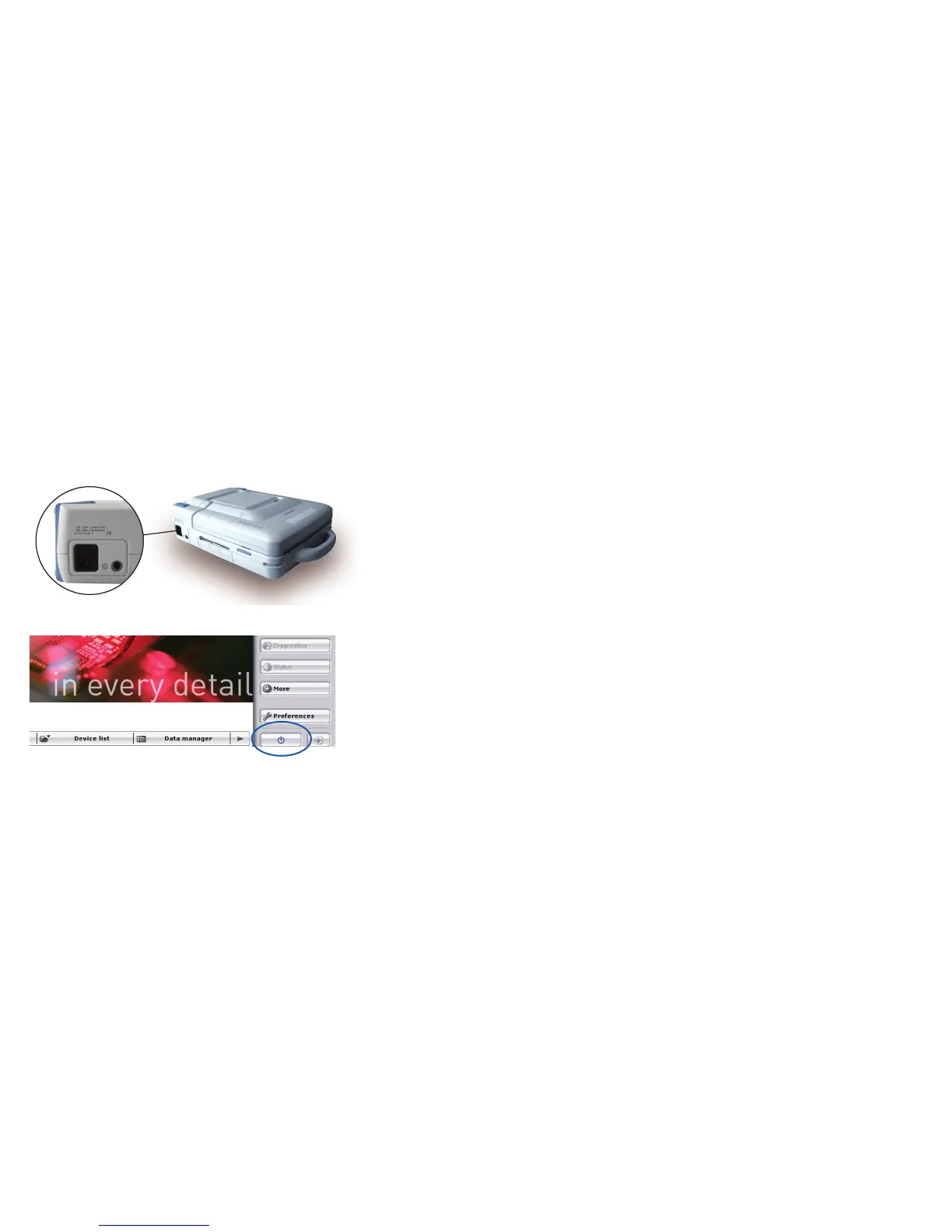
Button for switching off the device in the user interface.
On/off button on the device
The on/off button (19) is located on the back left side of the device.
To switch on the device:
• Press the on/off button (19) once to the pressure point.
The on/off LED (25) on the front left side of the device lights up.
To switch off the device:
• Press the on/off button (19) once to the pressure point
or
• Shut down the device via the user interface.
Note:
If the power supply to Renamic is interrupted, the device will require approximately
60 seconds to restart once the power supply is reconnected.
If the power supply to Renamic is not interrupted and the device is switched off using the
button on the screen or the on/off button on the device (19), then the device will require
approximately 30 seconds to restart.
Switching the device on and off



 To Next Page