Additional Features
30
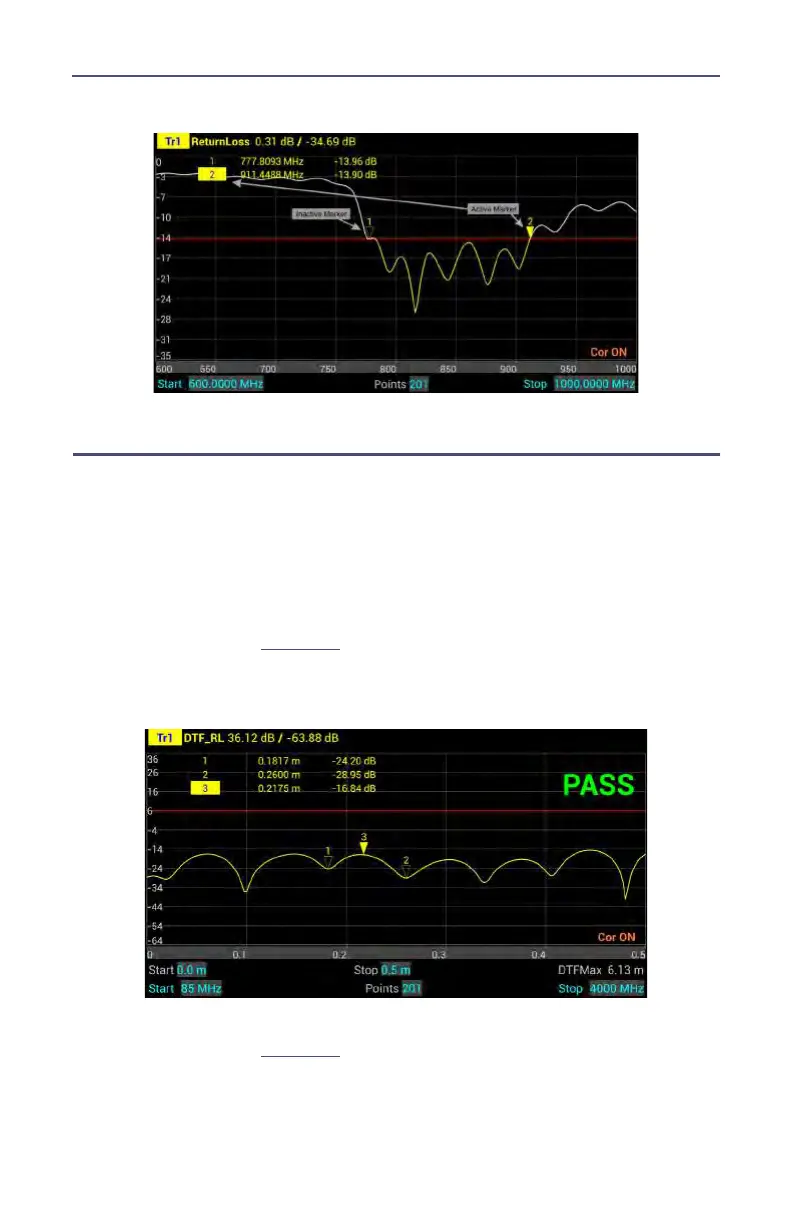
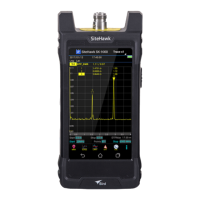
Figure 17 Marker Examples
Using Delta Markers
The delta marker feature displays the difference (delta) in both frequency (or
distance) and value between the active marker and all other markers. All
markers follow the current trace only.
Note: The Delta marker compares points on one trace and at
least two markers must be displayed for the Delta Option to work.
1. Select the marker on the screen to be the active marker.
Note: In
Figure 18
, marker 3 is the active marker, marker 1 and 2
are turned on.
Figure 18 Active Marker
2. Press MKR icon, and select DeltaMarker.
Note: In
Figure 19
, marker 3 is highlighted, markers 1 and 2 are
now delta markers 1-3 and 2-3. Delta markers 1-3 and 2-3 display
values that are the difference between their positions and the posi-
tion of marker 3.










 To Next Page