Bird SiteHawk Operation Manual
31
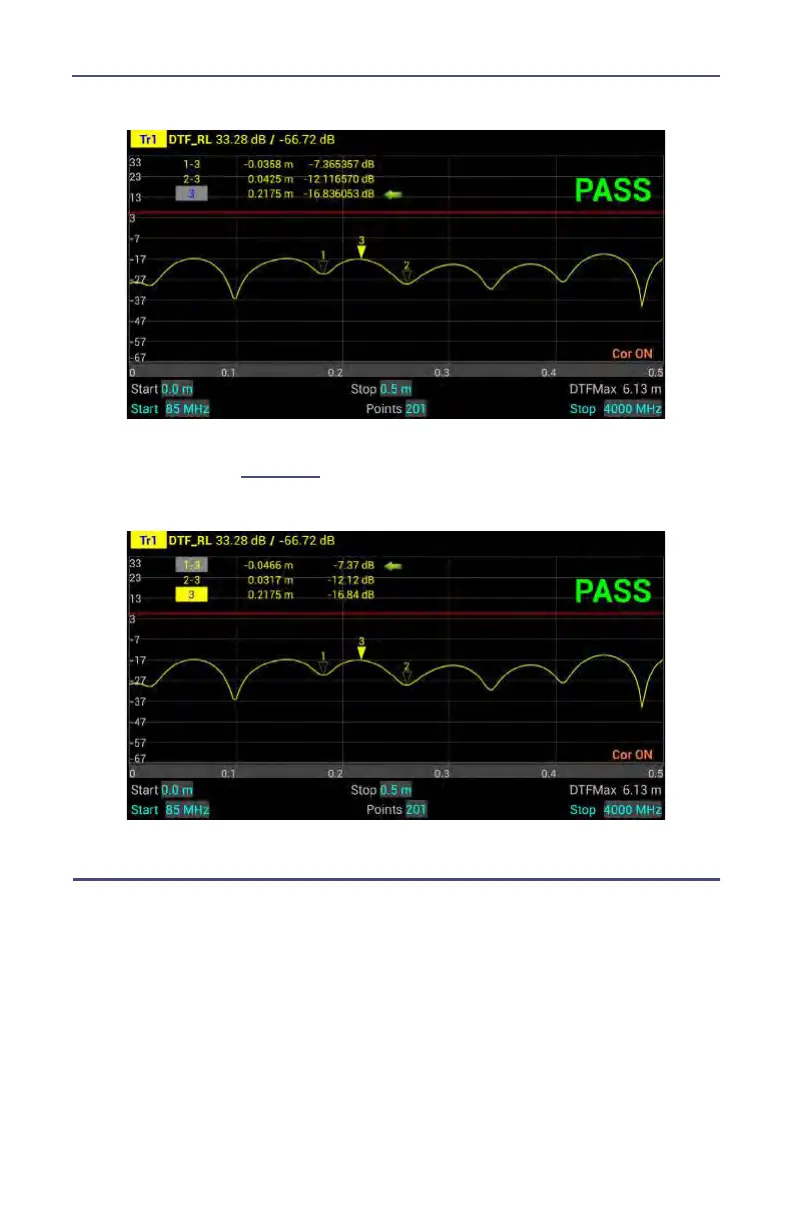
Figure 19 Highlighted Markers
3. Press MKR icon, and select MoveDelta.
Note:
Figure 20
shows Marker 1-3 is now highlighted.
Figure 20 Highlighted Delta Marker
Peak Search Between Markers
The peak search between markers feature causes marker 3 to move to the peak
signal between marker 1 and marker 2 positions. All markers follow the current
trace only.
Note: Three markers must be displayed for the peak search
between markers to work. Marker 3 will always find the peak between marker 1
and 2, regardless of how many other markers are displayed.
1. Press MKR icon, and Add markers 1, 2, and 3.
2. Move marker 1 and 2 to the upper and lower limit for the peak search.
3. Press MKR icon, and select Search Peak M1 ~ M2.












 To Next Page