Data Save and Export
44
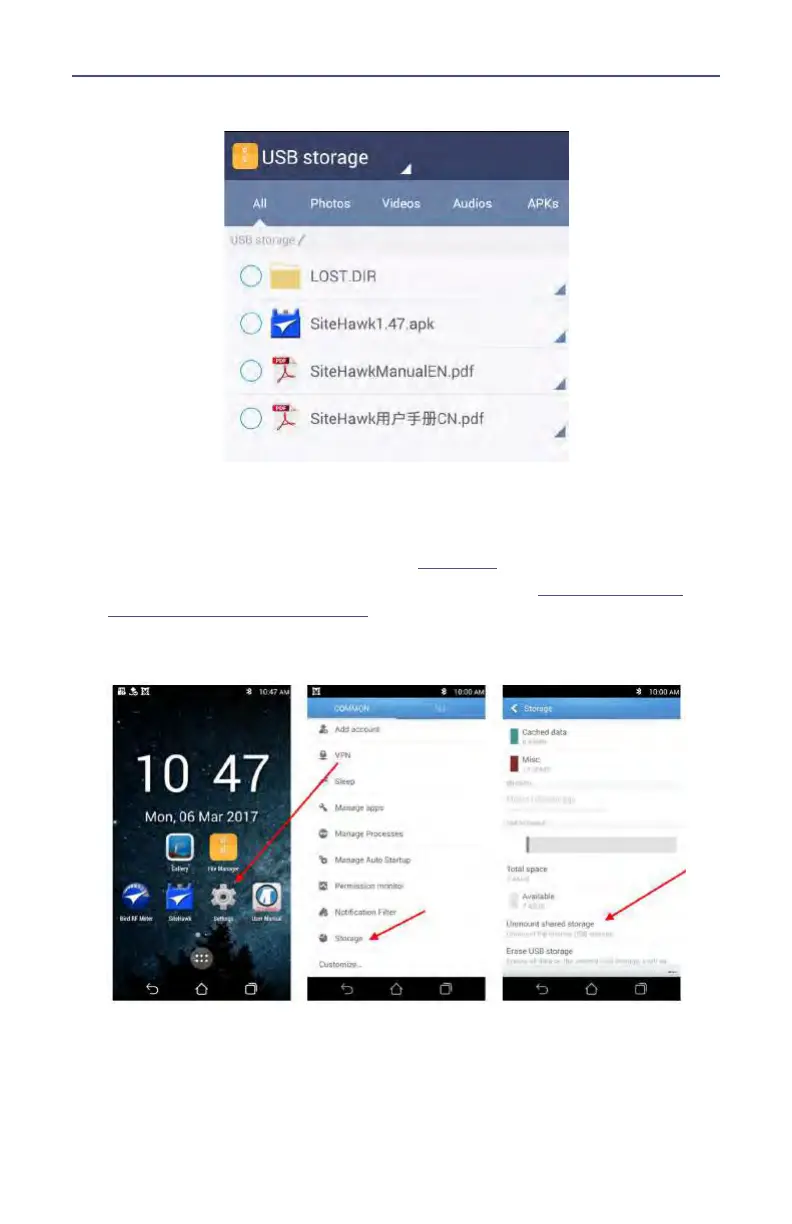
Figure 39 External Storage
10. Navigate to the directory where the file will be saved.
11. Press the Paste icon to save the file onto the USB drive.
12. Exit the File Manager.
13. Tap Settings on the Home Screen. See
Figure 40
.
14. Tap Storage, if the storage option is not available see
"Display Storage
Option in Settings" on page 45
.
Figure 40 Unmount USB Storage
15. Scroll to SD Card, and tap Unmount shared storage.
16. Tap OK
17. You may now remove the USB Drive.










 To Next Page