Rev. 1.00
3-2-2 Ethernet Model (SLP-TX22xE)
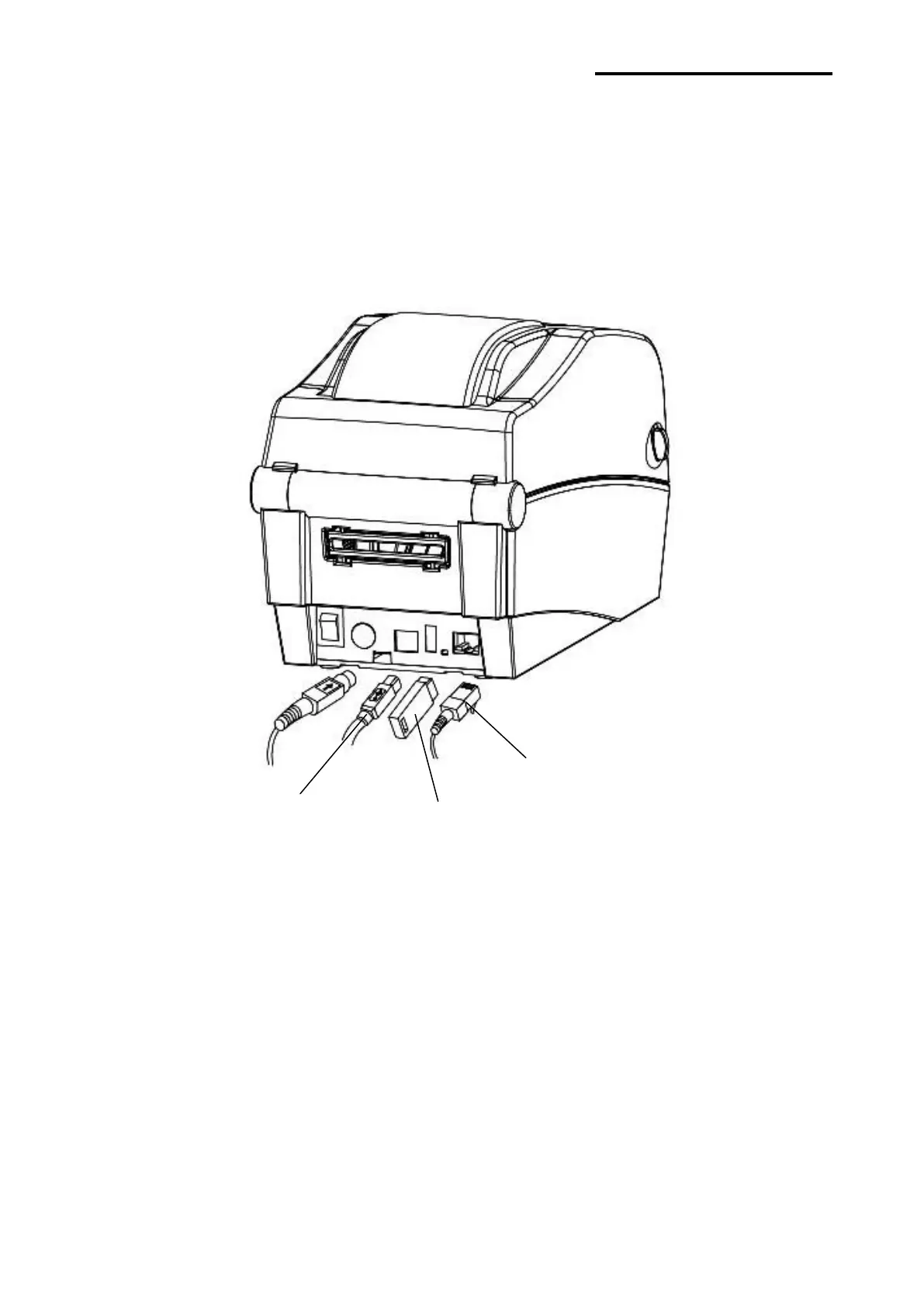
Connect the interface cable as shown below.
This printer supports the following communications interface standards.
- LAN(Ethernet) Cable
- USB A-Type(WLAN Dongle)
- USB B-Type Cable
1) Turn off the power switch.
2) Connect the communication cable to the printer communication port to be used.
- Connect the LAN(Ethernet) Cable to the ETHERNET port.
(This port requires a UTP cable(CAT5 or higher) less then 3.0m long.)
- Connect USB A-Type(WLAN Dongle only) to the HOST port.
- Connect USB B-Type Cable to the USB port.
(This port requires a shielded cable less then 1.8m long.)
USB A-Type
(WLAN Dongle only)















 To Next Page