Rev. 1.00
5-15 Real-Time Clock (Option)
The function of the Real-Time Clock option is to print the time and date onto the label. The
date and time can be set in the printer by using the Unified Label Utility-II.
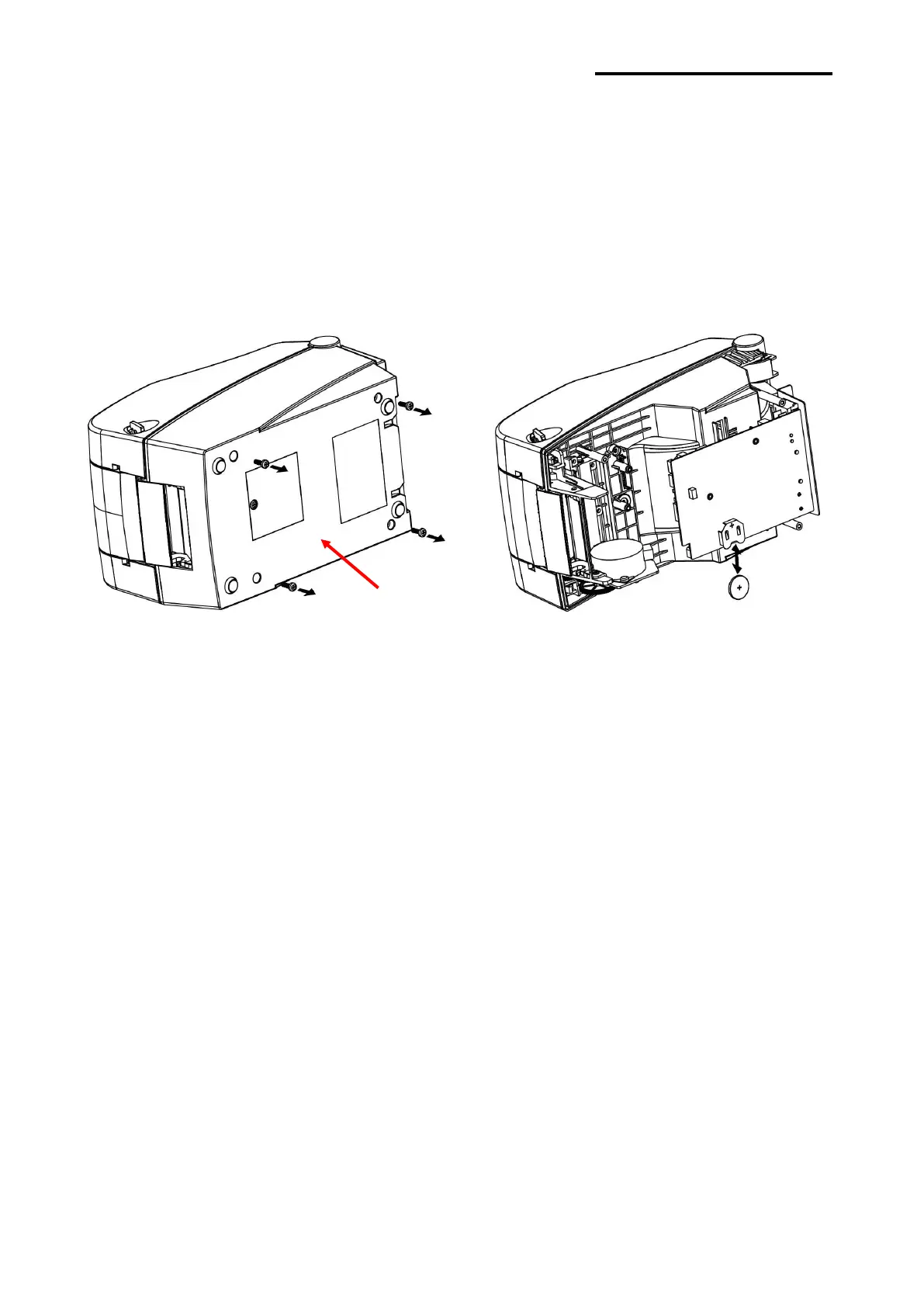
You can discern a low or depleted battery if printer provides a consistently incorrect time
and date. In this case, you need to replace the battery. When battery is changed, the time
and the date will need to be reset.
※ CAUTION
- For your safety, The CASE-LOWER of the printer should always be closed.
When changing the battery, please open the CASE-LOWER after remove the screw
using the driver.
- Wrap the battery when recycling or storing to avoid short circuit.
- Do not short circuit the battery. It may result in heat generation or fire.
- Do not disassemble or heat the battery.















 To Next Page