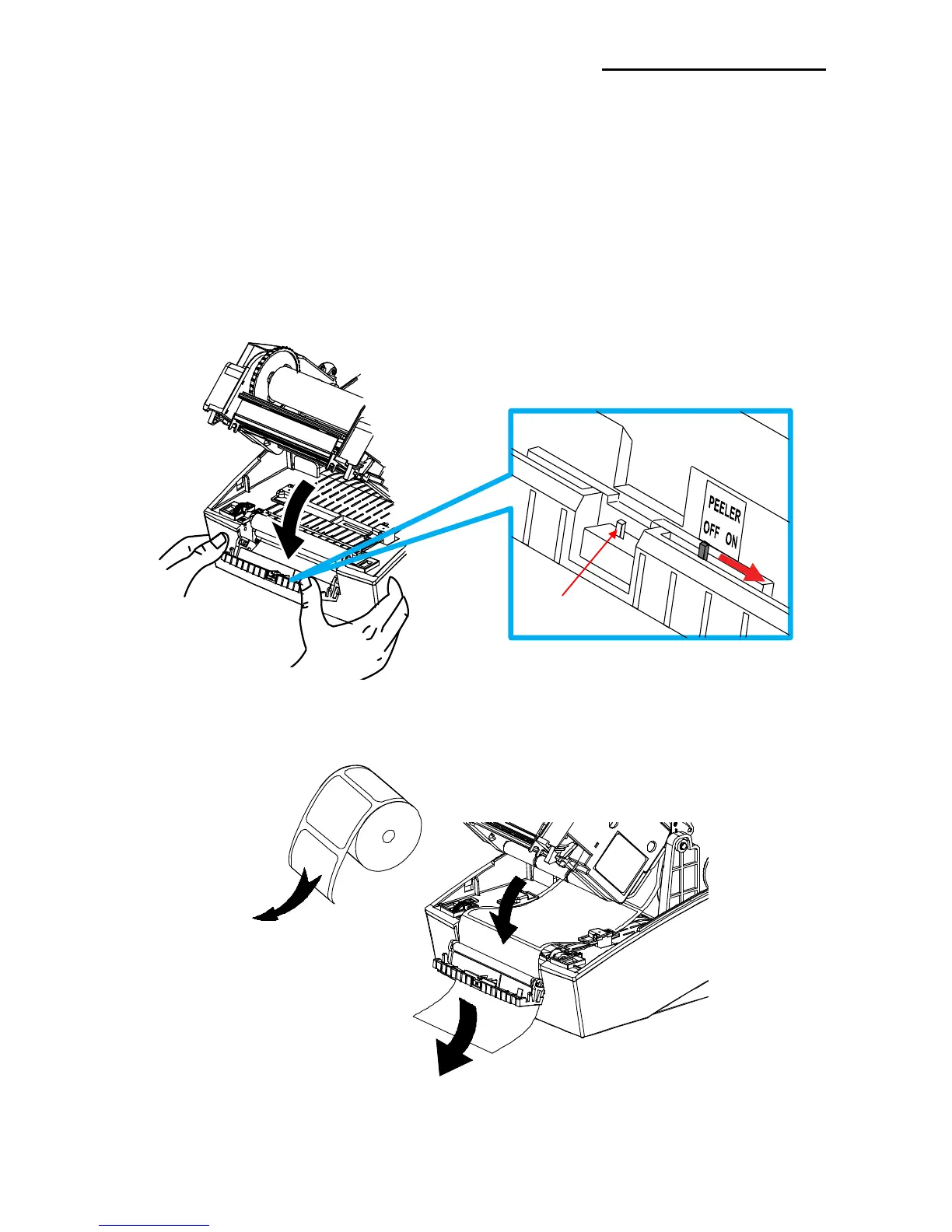
5-13 The Peel-Off
As a function that is used to peel-off labels, it is used only with label paper.
(After adjusting the peeler switch, power must be turned off and on in order for the
operation to be acknowledged.)
1) Open the paper cover.
2) Open the Ribbon Assembly.
3) Open the label peel-off cover and set the peeler switch to the ON position.
- Check to see that the LED has turned on.
4) Remove one sheet of the label paper, and insert the paper as shown in the image below.
- Prior to removing a label, the peeler switch must be set to the ON position.















 To Next Page