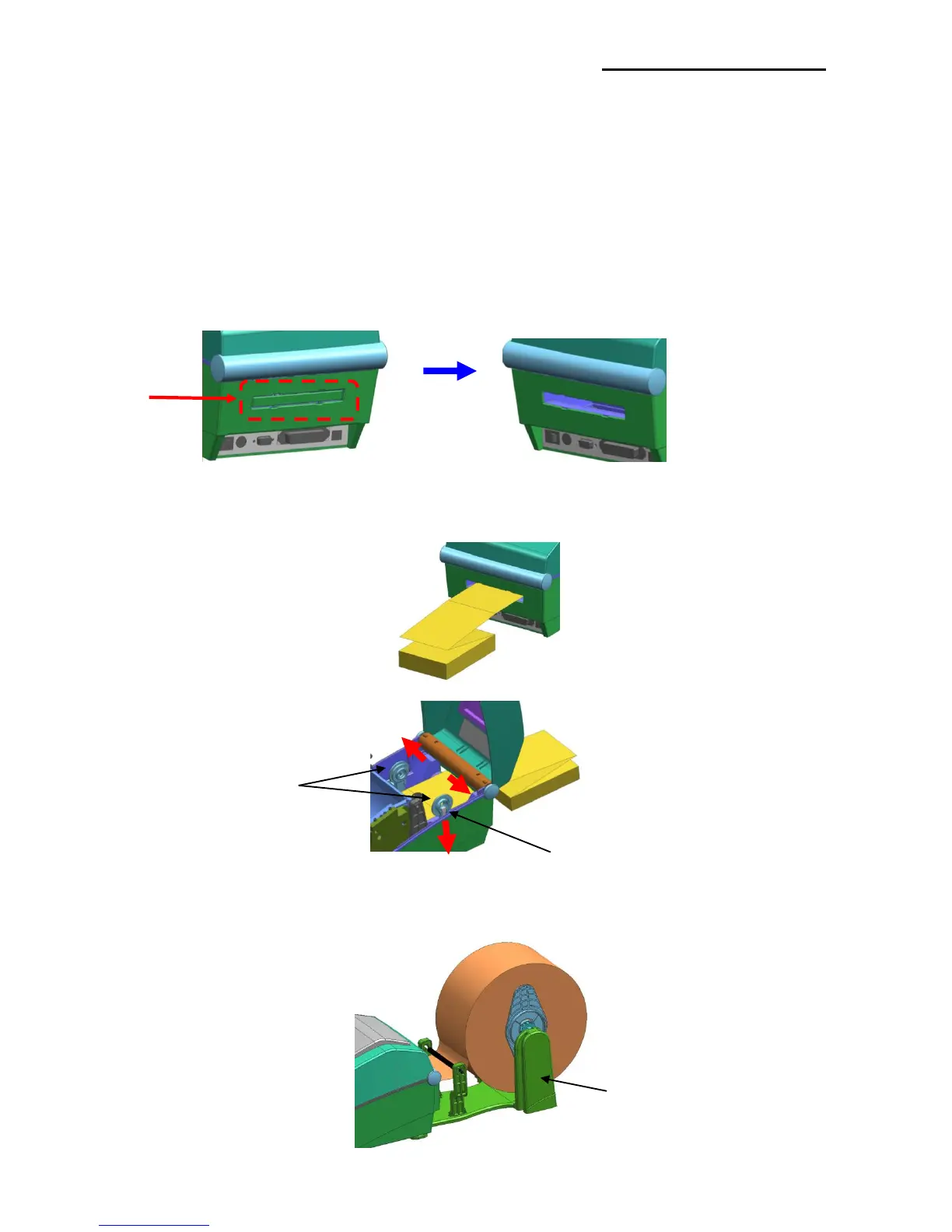
5-14 Using Fan-Fold Paper
Supplying paper to the printer externally is done as follows.
5-14-1 Printer Preparation
Remove the rear paper supply cover on the back side of the printer with a knife or other
cutting instrument.
※ CAUTION
- Take care not to injure the hands and/or any other part of the body when performing
this step.
5-14-2 When Using Pan-Fold Paper
1) Insert the paper at the rear of the printer using the slot and guides.
2) Adjust the holder and guides to the width of the paper.
5-14-3 When using large-capacity paper roll (option)
※ install the paper in the same way as pan-fold paper.















 To Next Page