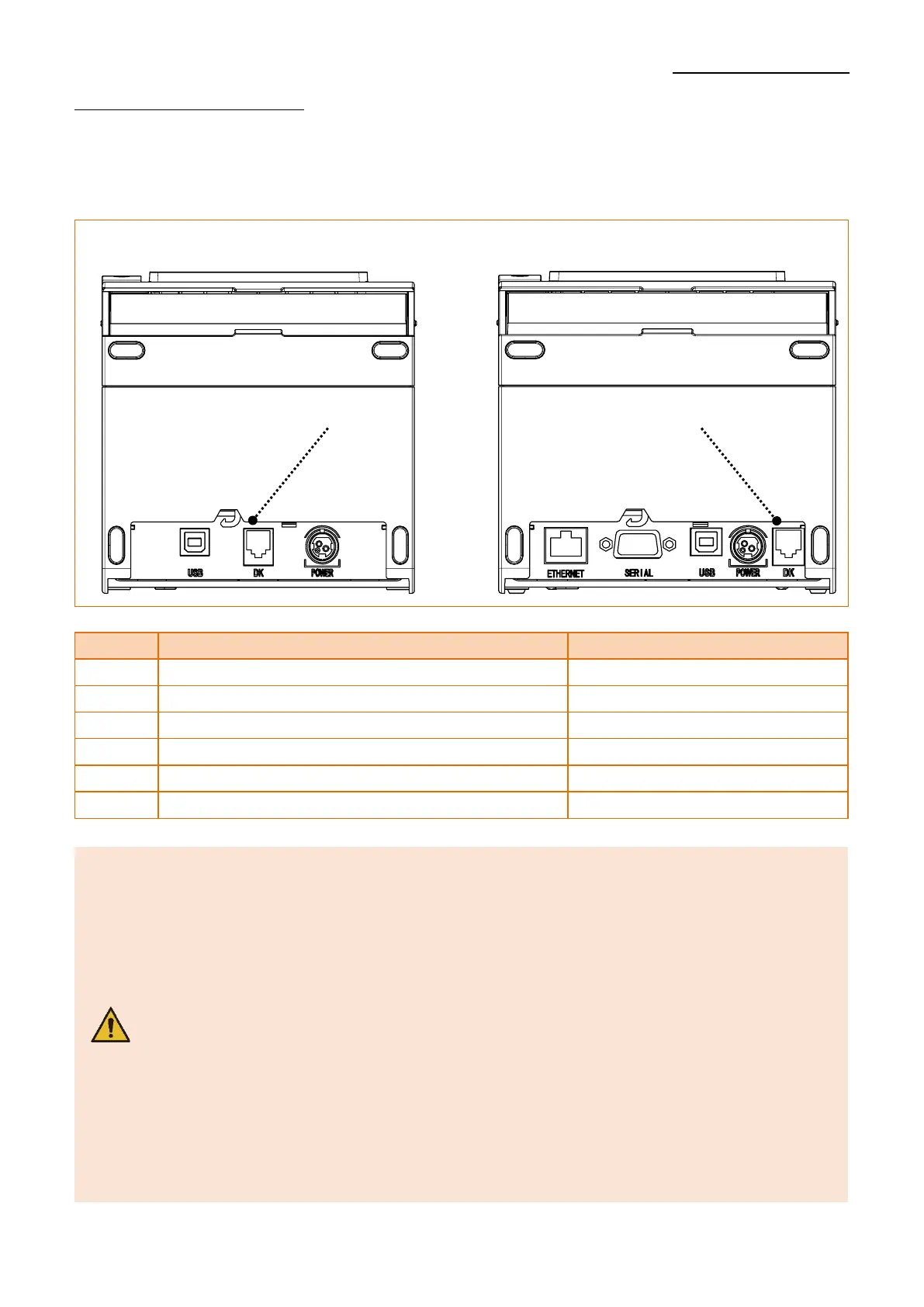
2-2-5 Drawer kick-out Port
Connect the Drawer kick-out connection cable to the drawer kick-out connector on the
rear side of the printer.
- Use a cash drawer that meets the printer specifications.
Using a cash drawer that is inappropriate to the specs or using
it as a power supply for a separate device may result in damage to
the product.
- Do not connect a telephone line to the drawer kick-out port.
Otherwise, the telephone line and the computer may be damaged.
- Do not allow a foreign object such as a conductor to touch the
drawer kick-out port. This may result in damage to the product.
- Make sure to use a cash drawer with an internal coil resistance of
24 Ω or higher. (The maximum current is 1A.)
- The open signal time for the cash drawer should not exceed 0.8
seconds. After opening the cash drawer, make sure to idle for at
least 3.2 seconds (at least 4 times that of the open signal time)
before operating it.



 To Next Page