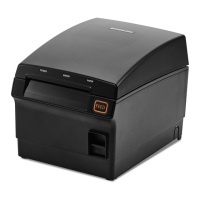
SRP-S300
Ver. 2.00
Table of Contents
Copyright ............................................................................................................................................ 2
WARNING & CAUTION ...................................................................................................................... 6
Manual Introduction ........................................................................................................................ 8
Printer Introduction ......................................................................................................................... 9
1. Preparation .................................................................................................................................. 11
2. Product Part Names .................................................................................................................... 12
2-1 Printer Part Names ....................................................................................................................... 12
2-2 Interface Part Names ................................................................................................................... 13
2-2-1 USB Interface (Built-in) ...................................................................................................... 13
2-2-2 Ethernet Interface ............................................................................................................... 14
2-2-3 Serial Interface (RS232) ...................................................................................................... 15
2-2-4 Parallel Interface (IEEE1284) .............................................................................................. 16
2-2-5 Wireless LAN Interface Card .............................................................................................. 17
2-2-6 Bluetooth Interface Card ................................................................................................... 18
2-2-7 Powered USB Interface Card ............................................................................................. 19
2-2-8 Drawer Kick-out Port .......................................................................................................... 20
3. Installation & Usage ................................................................................................................... 21
3-1 Printer Installation Placings ......................................................................................................... 21
3-2 Power Connection ........................................................................................................................ 22
3-3 Inserting and changing the paper roll ....................................................................................... 23
3-4 Using Controller ............................................................................................................................ 26
3-5 Mounting Partition ....................................................................................................................... 27
3-6 Using of 83mm Paper Roll ........................................................................................................... 28
3-7 Setting Volume .............................................................................................................................. 29
3-8 Using of Taken Sensor Function .................................................................................................. 30
4. Printer Setting Change ............................................................................................................... 31
4-1 DIP Switch 1 ................................................................................................................................... 31
4-2 DIP Switch 2 ................................................................................................................................... 33
5. Self-Test ........................................................................................................................................ 35
6. Hexadecimal Dumping ............................................................................................................... 38
7. Maintenance ................................................................................................................................ 39
7-1 Paper Jam ...................................................................................................................................... 39
7-2 Cleaning Printer ............................................................................................................................ 40
8. Specifications ............................................................................................................................... 41
8-1 Printer Specifications ................................................................................................................... 41
8-2 Recommended Papers ................................................................................................................. 42


 To Next Page
 Loading...