SRP-S300
Ver. 2.00
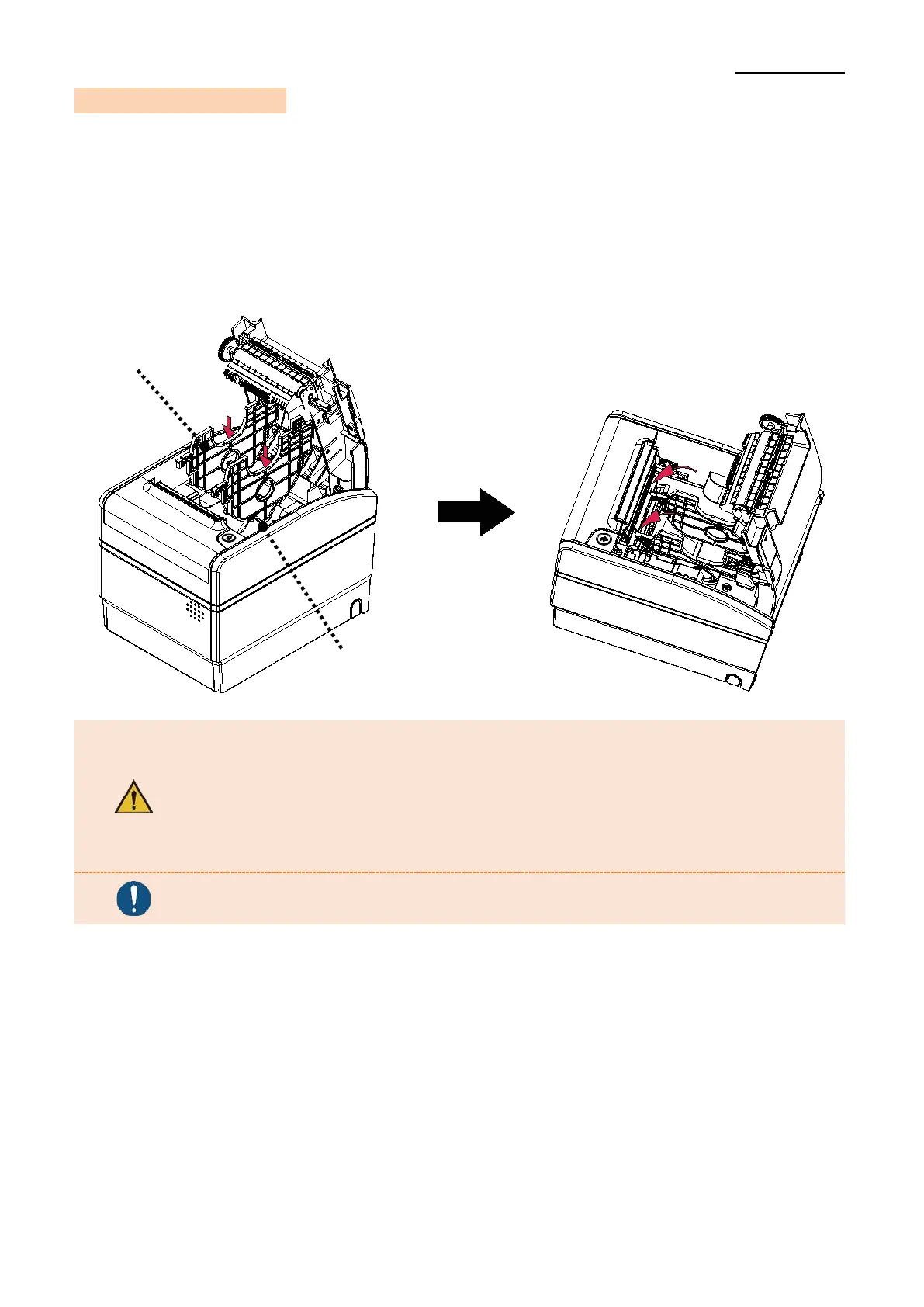
3-5 Mounting Partition
• Position the partition on the front and back grooves and press the center part to fix it as
shown in the picture. The position to secure the partition varies depending on the type
of paper.
1. 40mm roll paper: mount 2 partitions at Positions #1 and #2.
2. 58mm roll paper: mount 1 partition at Position #1.
3. 62mm roll paper: mount 1 partition at Position #2.
- After using narrower papers (e.g. 40, 58, 62mm width) than the
maximum paper width of 80mm, please do not use any wider ones
as it might affect printing quality due to uneven platen roller
abrasion.
- Take care not to cut your finger on the surroundings of the part
when installing the partition.
The shape of the partition is the same for each type of roll paper.
Position #1
Position #2


 To Next Page
 Loading...