28
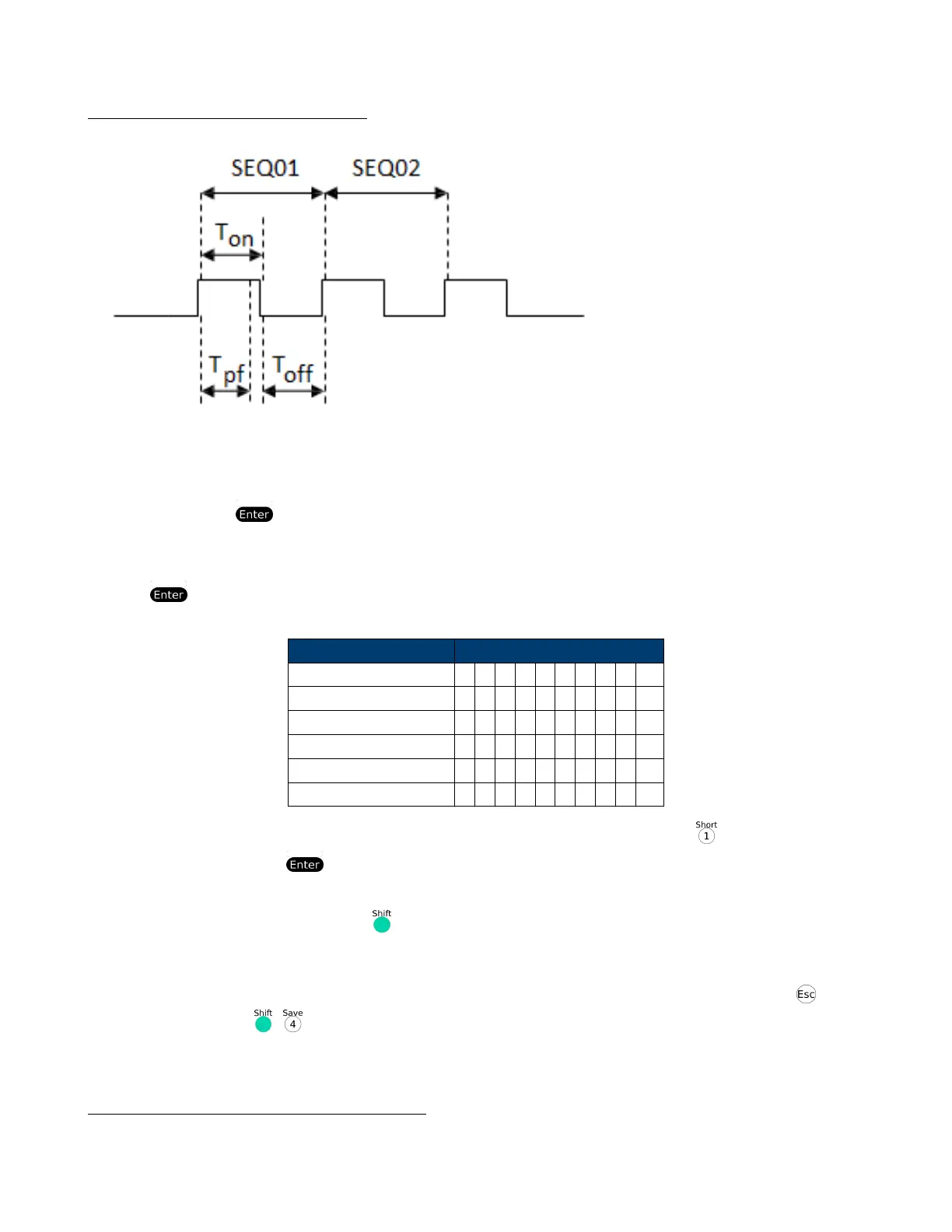
Ton, To and Tpf (P/F) Relation:
Tpf the delay time for a step
15. Set stop conditions: COMP means stop test when all the steps are completed, FAILURE means stop test when the
testing fails. Press to conrm.
STOP COMP FAILURE
16. Select the test le to link if you’d like to. The linked le must be saved before. 0 stands for not linking to other les.
Press key to conrm.
CHAIN PROGRAM =0(0-10)
Program/Save Locations
PROGRAM Sequence 1 1 2 3 4 5 6 7 8 9 10
Save Group 1 2 3 4 5 6 7 8 9 10
PROGRAM Sequence 2 1 2 3 4 5 6 7 8 9 10
Save Group 11 12 13 14 15 16 17 18 19 20
PROGRAM Sequence 10 1 2 3 4 5 6 7 8 9 10
Save Group 91 92 93 94 95 96 97 98 99 100
17. Save the edited les in EEPROM, you can save up to 10 groups of les, e.g please press to save the edited le
in group 1, and then press to conrm.
SAVE PROGRAM =1(1-10)
18. Select a operation mode and then press +[CV] to set related parameters
10.0000V 0.0000A
0.00W CC=1.000A
19. Edit the three steps of the test le, details refer to below procedure. After all the steps are set , Press to exit
setup, and then press + to save.
You need to recall the test le before running it
Set the steps of a test le in the example
CC Mode, 1.2A, Voltage Range 4.4V-4.6V













 To Next Page