26
RS-232↔RS-422 INTERFACE CONVERTERS
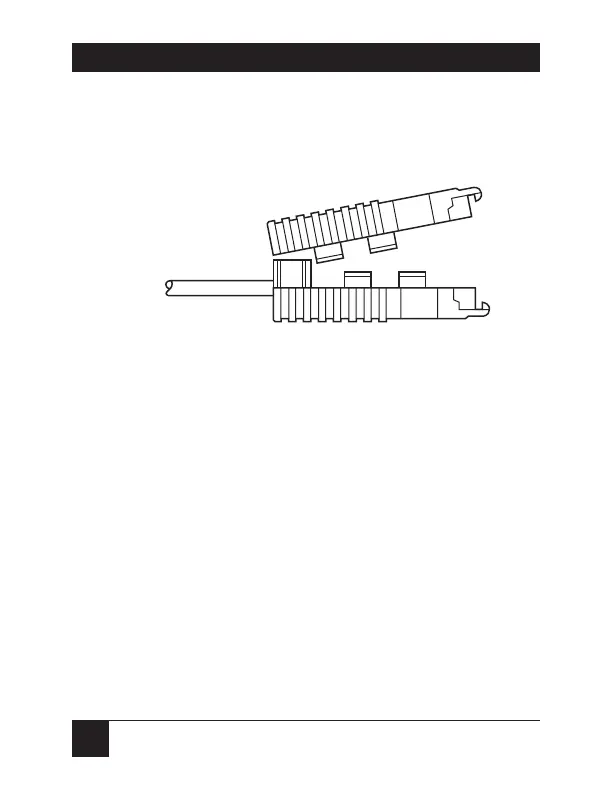
9. Bend the top half of the Converter’s case as
necessary to place it over the strain-relief assembly,
as shown below. Do not snap the case together yet.
10. The Converter comes with a pair of screws and
saddle washers. Put one of the washers on one of
the screws. Insert that screw through the matching
hole on one side of the DB25 end of the case, then
snap that side of the case closed. Repeat the
process for the other side with the other screw and
washer.
This completes your RS-422 terminal-block cable
installation.




 To Next Page