724-746-5500 | blackbox.com
Page 44
724-746-5500 | blackbox.com
Chapter 6: Application Examples
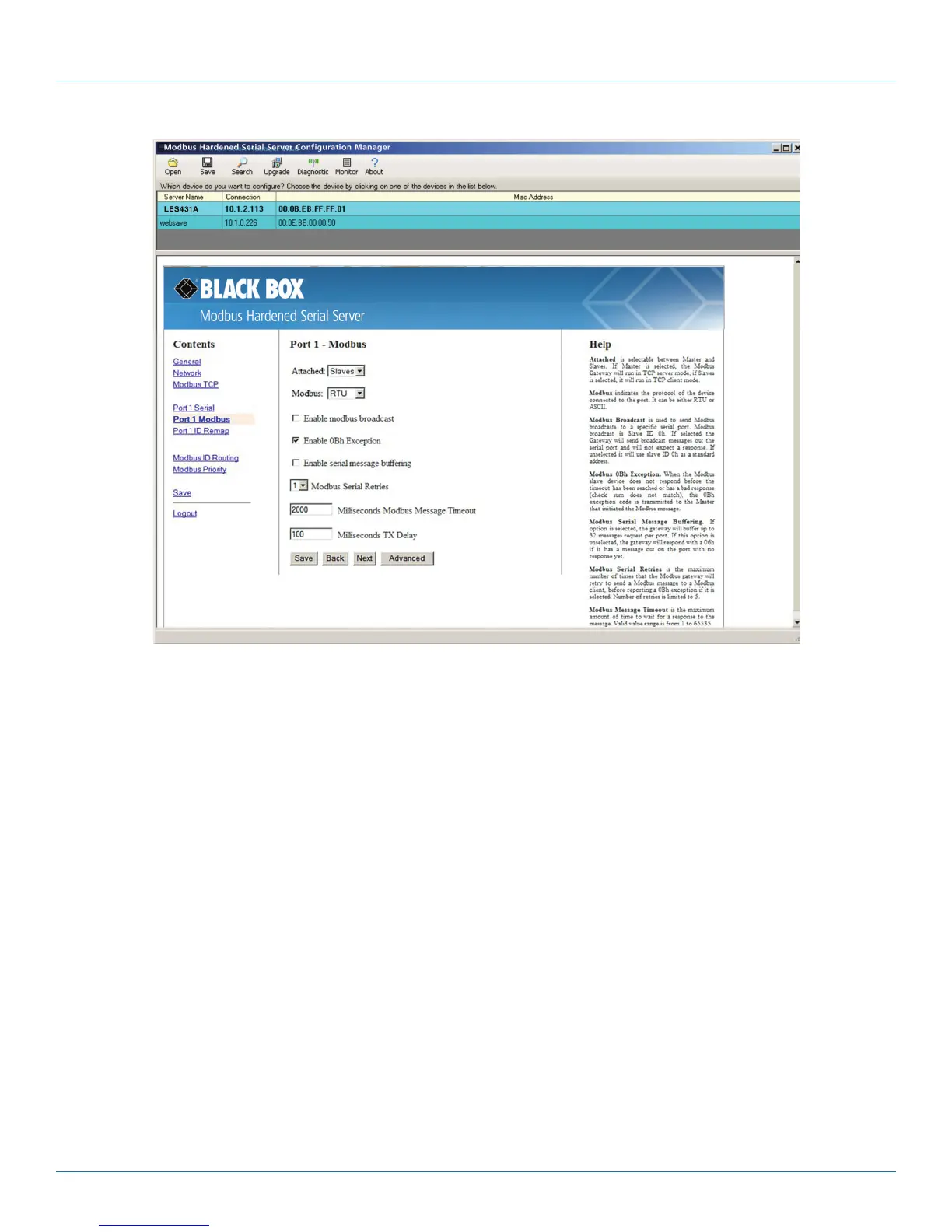
Figure 6-3. Port 1 Modbus.
5. Configure the Port 1 Modbus Settings. In this case, “Attached” should be slaves, “Modbus” should be RTU. The other settings
depend on your application.
6. Access Modbus ID Remapping for each port and configure as necessary.



 To Next Page