8
1. 8 7 7. 8 7 7. 2 2 6 9 BLACKBOX.COM
NEED HELP?
LEAVE THE TECH TO US
LIVE 24/7
TECHNICAL
SUPPORT
1.877.877.2269
CHAPTER 2: INSTALLING THE SWITCH
NOTE: The switch is an indoor device. If you need to use it to connect outdoor devices such as outdoor IP cameras or outdoor
Wi-Fi
®
APs with cable, then you need to install an arrester on the cable between outdoor device and the switch.
2.1 MOUNTING THE SWITCH IN A 19-INCH RACK
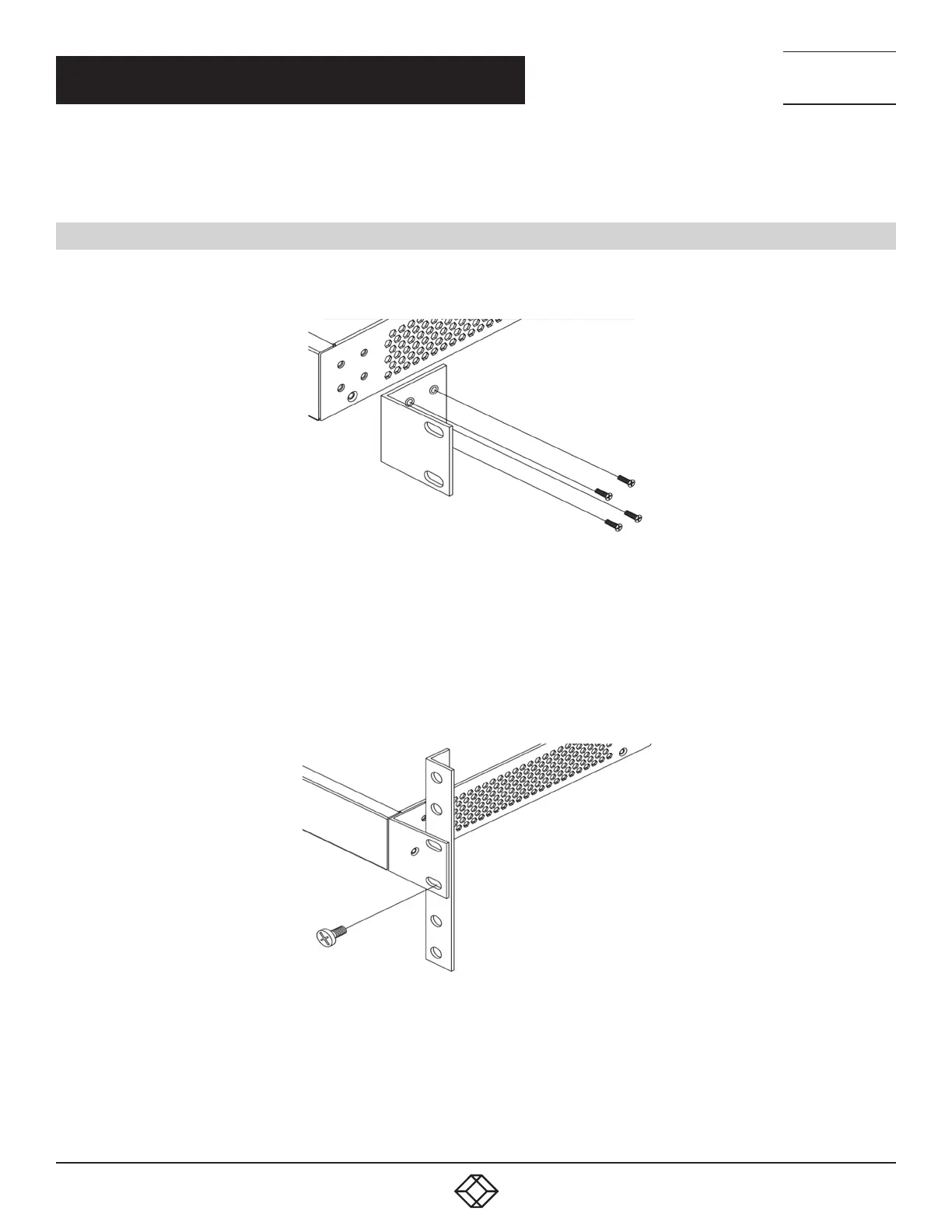
Step 1: Attach the mounting brackets to both sides of the chassis. Insert screws and tighten then with a screwdriver to secure the
brackets.
FIGURE 2-1. ATTACHING BRACKETS TO THE SWITCH
Step 2: Place the switch on a rack shelf in the rack. Push it in until the oval holes in the brackets align with the mounting holes in
the rack posts.
Step 3: Attach the brackets to the posts. Insert screws and tighten them.
FIGURE 2-2. ATTACHING BRACKETS TO THE RACK POST












 To Next Page