CHAPTER 31: Traveling: Maps and More
4
7
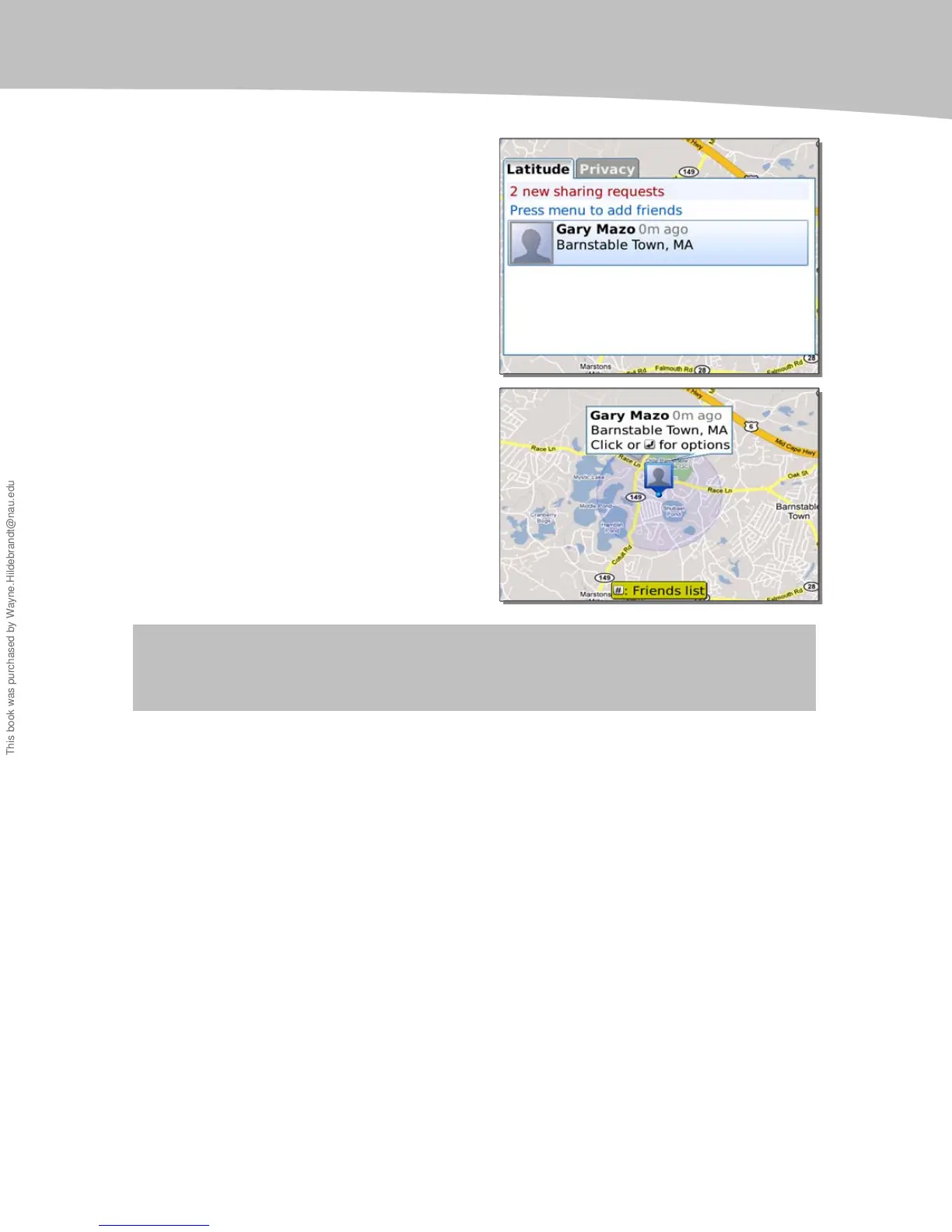
nother new feature is Google Latitude,
which allows you to enable your Google
contacts to see where you are in real time.
You can also see them once you accept
invitations.
Just press the Menu key, and select
Latitude to get started. Once set up, your
location on the map is sent to whoever you
choose.
You will see all your friends and family on
the map if they also share their location
using Google Lattitude.
NOTE: In some places, the software cannot find enough information to show your location; it
will tell you if that’s the case.
Finding More Things Nearby with Layers
In the newest version of Google Maps (version 4.02 at the time of this writing,) there is a
new feature called Layers. Essentially, Layers will show you Wikipedia entries for things
nearby, traffic conditions, transit lines, or personal maps. The data will be overlaid on the
current map.
In the example shown in Figure 30-1, we have used Latitude to locate Martin in Florida
and then used Layers to find things nearby.
This book was purchased by Wayne.Hildebrandt@nau.edu













 To Next Page