W ALL MOUNT INSTALLATION
1-8
403-002-018 Rev A
Installing the Mount Kit
To install the Mount Kit
1 If you haven’t already, open the Mount Kit packaging, and then verify that all parts are included.
See: PR5000 Mount Kit (page 1-4) for the list of parts.
Note: If there are any discrepancies, contact your Blackboard Client Manager.
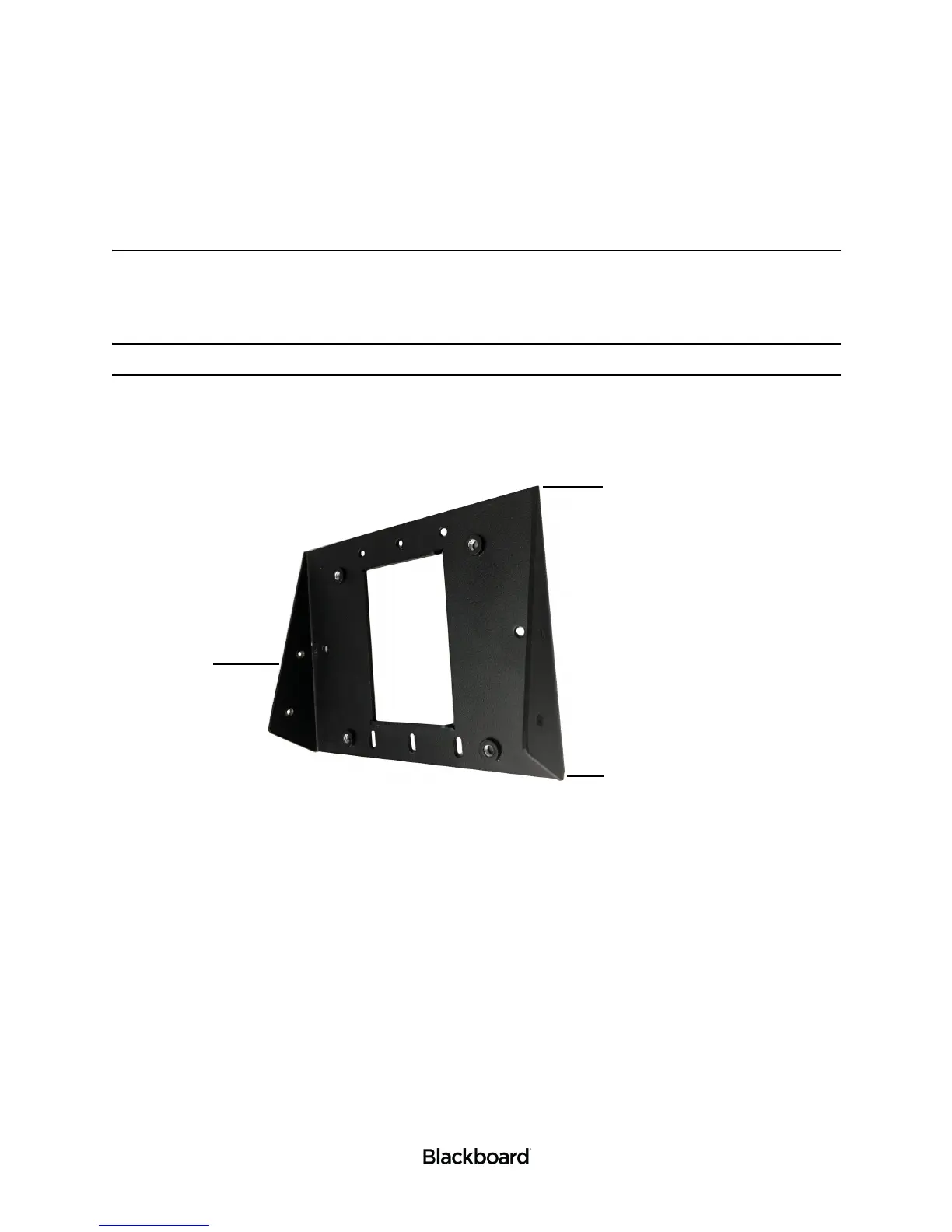
2 Obtain the PR5000 Mount Base (Blackboard Part No. 044-059-119) or VESA 75 mount (not included).
When using the PR5000 Mount Base, review Figure 1-7 before continuing.
Figure 1-7 PR5000 Mount Base
3 Attach the Mount Base or VESA 75 mount to the electrical gang box.
For the PR5000 Mount Base, use the 6-32 X 3/4 Truss Head Phillips machine screws (4).
For a VESA mount, use the M4 X 6mm Panhead machine screws (4).


 To Next Page