W ALL MOUNT INSTALLATION
1-10
403-002-018 Rev A
Connecting Cables
10 Connect cables to the PR5000. Refer to Figure 1-2.
Note: When using the PR5000 Reader as an Authorization Reader, configure the Transaction
Terminal Options in TS, see: the Blackboard Transaction System Administration Guide
(Hardware chapter). The reader provides data output through AUX1. A serial connection from
AUX1 to third-party hardware is required.
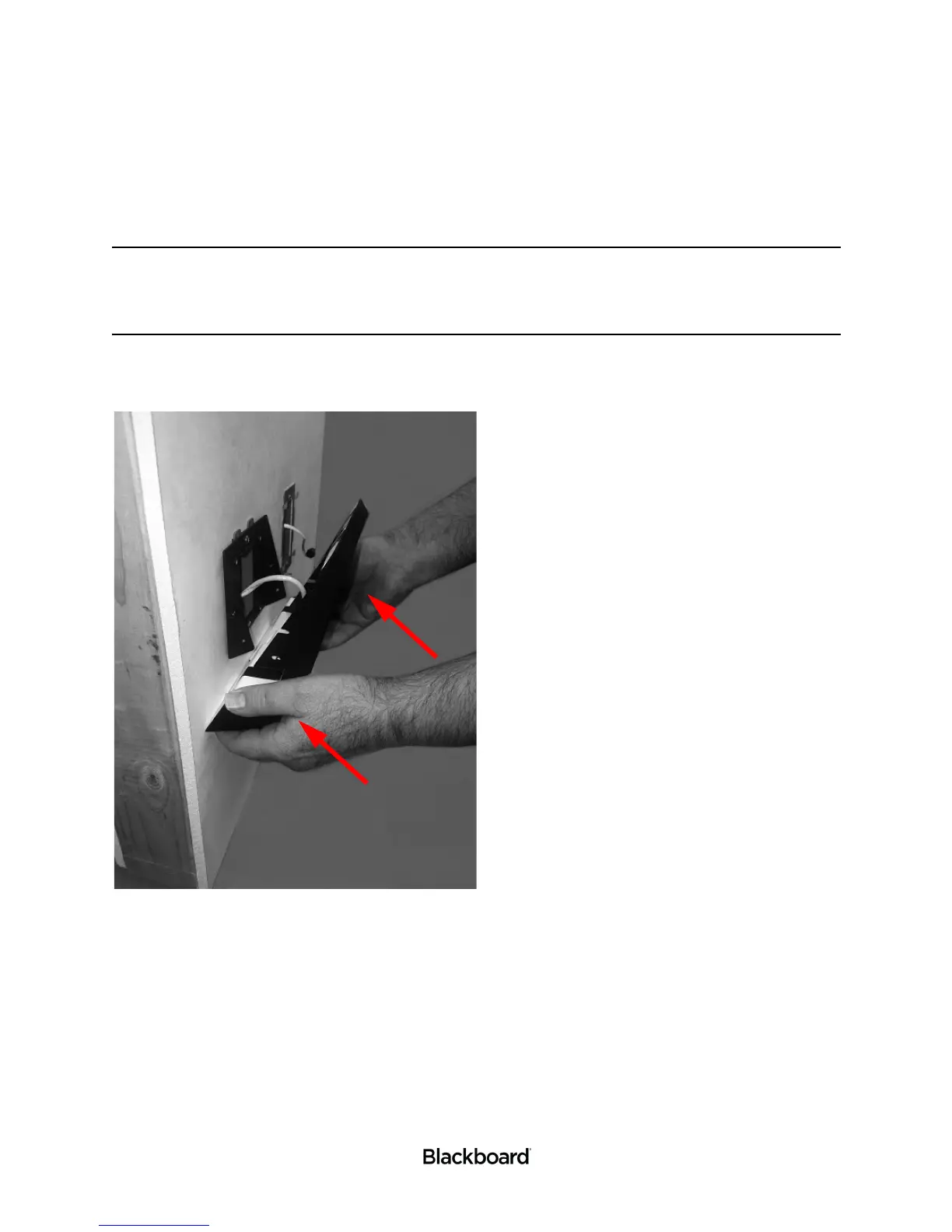
11 Place the PR5000 Reader on the Mount Base by sliding the Mount’s open slots over the loosely
attached screws previously installed.
Figure 1-10 Installing the PR5000 to Wall
12 Install two more 6-32 X 1/2 Tamper Proof screws into the lower slotted holes.
13 Tighten all four Tamper Proof screws.
14 Verify that the reader is secure.
Wall mount installation is complete. See: the Point of Sale (PR5000) Configuration Guide to complete
your setup.


 To Next Page