3.8 It’s important to note that these two steps are repeated to verify your monitor’s settings
for brightness and contrast and make further fine adjustments if necessary.
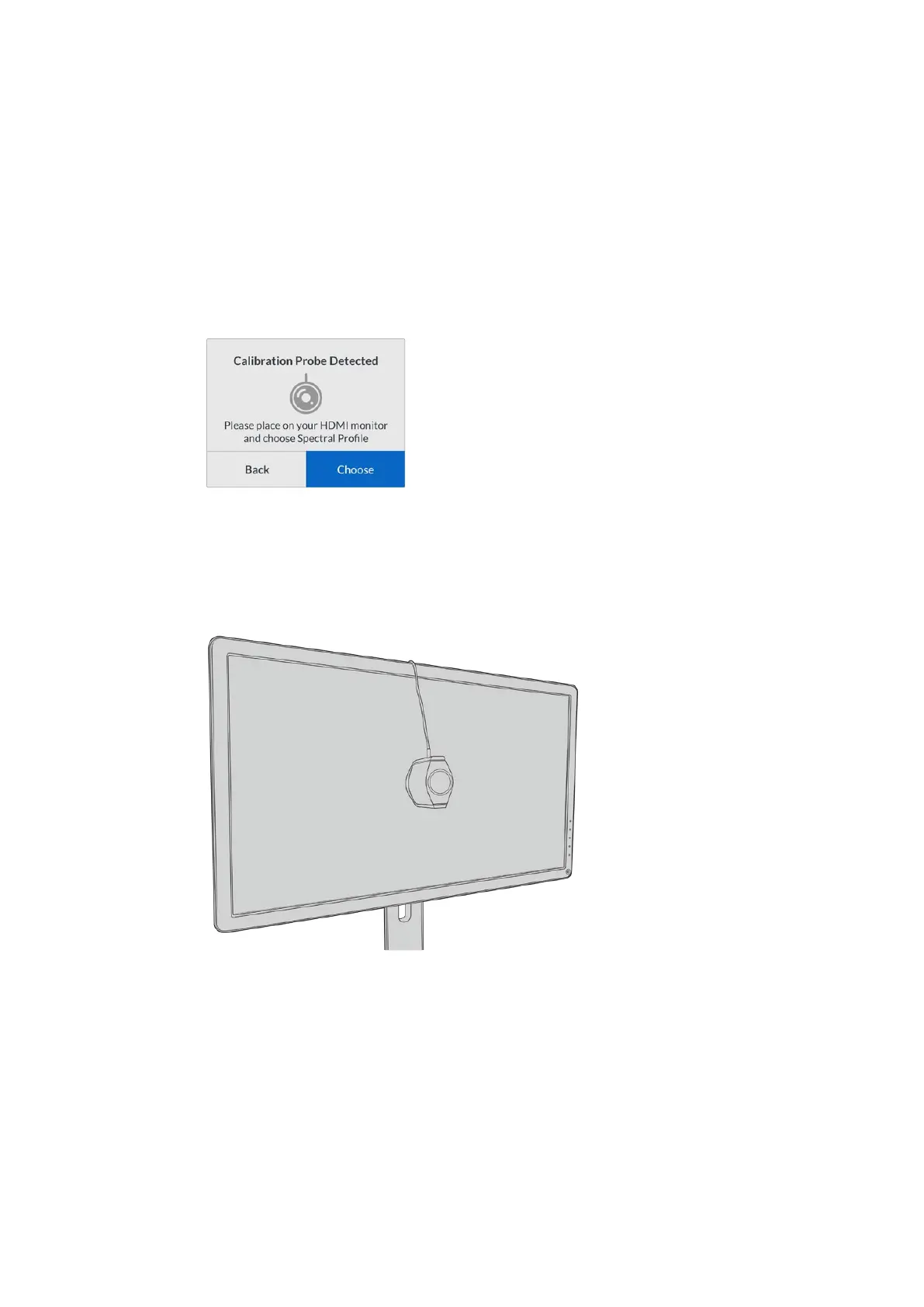
3.9 The LCD on your Teranex Mini SDI to HDMI 8K HDR should say ‘calibration probe
detected’. Select ‘choose’ and press ‘set’. The LCD shows a list of preconfigured
spectral profiles of supported display types. Select a profile to match your display.
If you are unsure or your screen type is not on the list, select ‘generic’. Press ‘set’.
If the status message on the Teranex LCD says ‘no calibration probe detected’, confirm
your probe is a compatible model and is connected properly to the USB-C port on the
front panel.
3.10 If your probe has a protective cover, remove it. Place the calibration probe in front of
the monitor with the opening of the probe’s sensor parallel to the screen and gently
touching the middle of the white square displayed in the center of the screen.
We recommend you stabilize the calibration probe with a small tripod or mounting
method provided with the probe.
3.11 Consult the specifications in the manual for your monitor and use the monitor menu to
select the widest color space setting available. Manufacturers use different terminology
for this setting such as ‘native’, ‘extended’ or ‘wide’. This makes the 3D LUT fully and
accurately cover the target color space you selected in the ‘color space’ menu.
3.12 A white test patch it shown so the probe can measure the color temperature of the
display. Use your monitor’s menu to set the color temperature so the reading is as close
as possible to 6500K. Select ‘next’ and press ‘set’ to continue.
20Teranex Mini – SDI to HDMI 8K HDR











 To Next Page