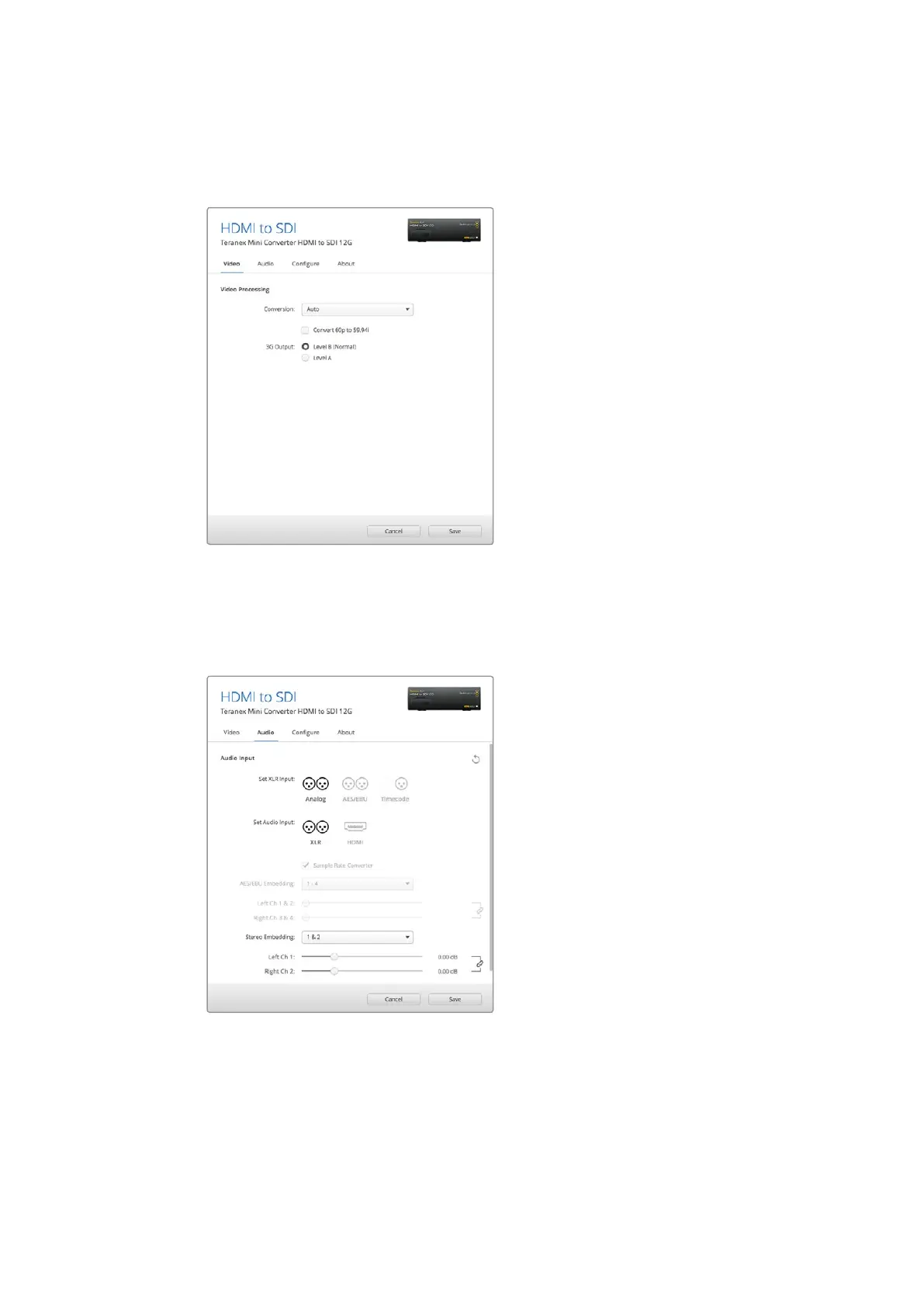
If you need to convert Dolby audio via an AES/EBU source that is sample locked to a reference,
make sure you disable the sample rate converter by deselecting the checkbox, otherwise it
may interfere with your Dolby audio conversion.
Select between ‘auto’, ‘force to HD’, or ‘force to Ultra HD’
conversion settings using the ‘video’ settings page in
Blackmagic Teranex Setup. You can also set your converter
to detect 60 frames per second video and automatically
convert it to 59.94 frames per second for when connecting
to video equipment using the standard 59.94 frame rate.
Adjust your analog audio levels and AES/
EBU levels using the ‘audio’ settings.
Your Teranex Mini will retain its last settings whether applied via switch, Smart Panel or Teranex
setup utility. If reverting to switch control after removing the Smart Panel or updating your
converter’s settings via software, you may need to toggle individual switches for new settings
to take effect.
33Teranex Mini – HDMI to SDI 12G











 To Next Page