3 LED Status Indicator
The LED glows white when the converter is receiving power and green when a valid
video input signal is detected. When more than one Teranex Mini is connected to your
computer, you can identify your converter using the ‘identify’ checkbox in Blackmagic
Teranex Setup. When the checkbox is enabled, your converter’s LED will flash
on and off.
4 Power
Standard built in IEC C14 connector for 90 - 240 volt AC power supply.
5 SDI Out
The 8 BNC connectors labeled ‘SDI Out’ let you connect 8 independent outputs to SDI
video equipment.
6 Ethernet PoE+
The Ethernet connector lets you plug your Teranex Mini into a network switch or
computer so you can change settings using Blackmagic Teranex Setup. The Ethernet
port also supports power over Ethernet plus.
7 SDI In
Use this BNC connector to plug in your SDI source video.
Switches
There are no user settings required for Teranex Mini - SDI Distribution 12G.
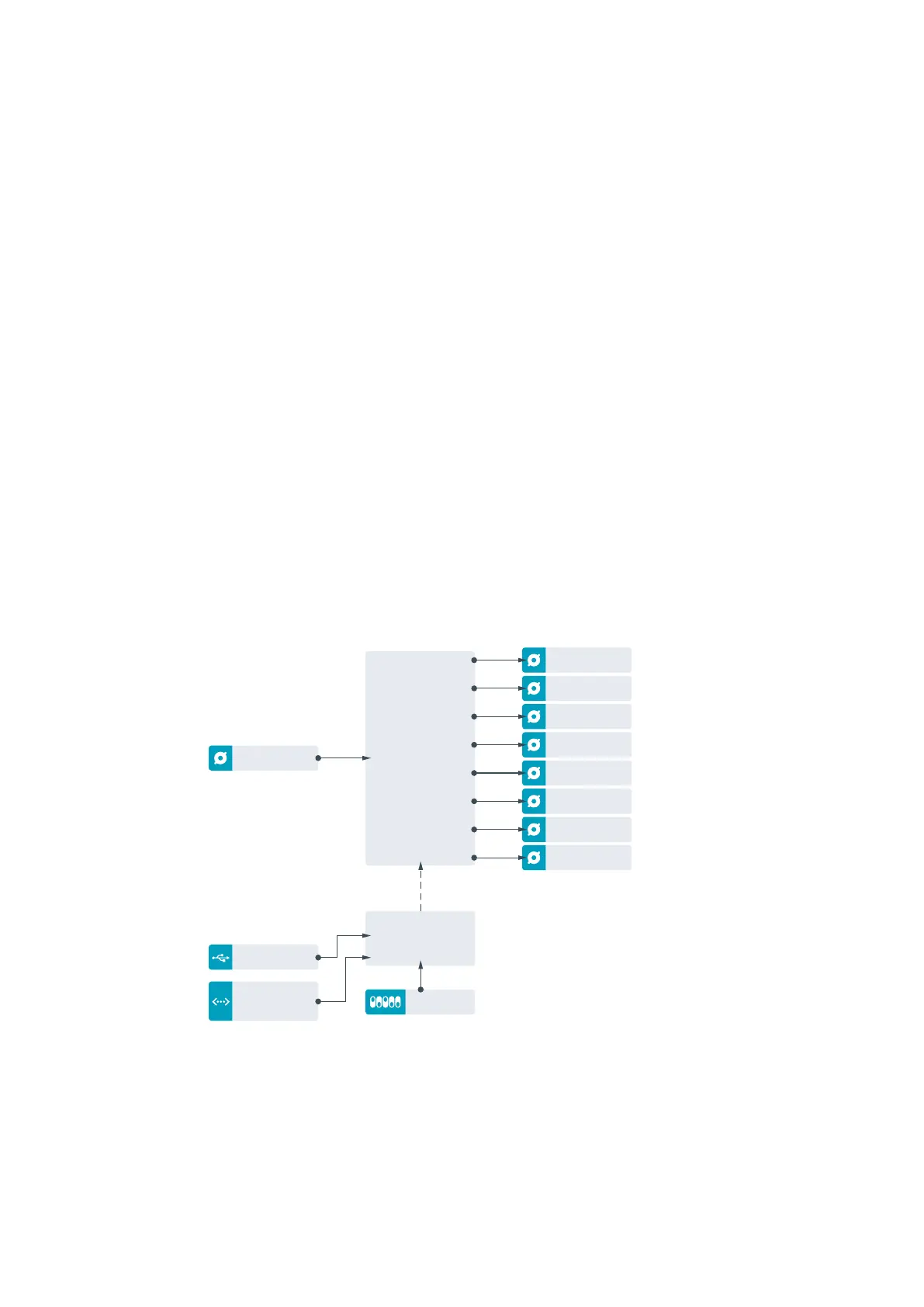
Teranex Mini – SDI Distribution 12G Block Diagram
SDI IN
Ethernet
with Power
8 Outputs
Re-Clocking
Distribution
Amplifier
Central Processor
and Firmware
Mini Switches
USB
Input automatically
detects between
SD/HD/6G/12G-SDI
SDI Out
SDI Out
SDI Out
SDI Out
SDI Out
SDI Out
SDI Out
SDI Out
63Teranex Mini – SDI Distribution 12G











 To Next Page