SDI IN
L - ANALOG
AES/EBU
R - ANALOG
AES/EBU - T/C
OPTICAL
AUDIO
STEREO OUT
L R
ETHERNET PoE+
OPTICAL
OUT / IN
1 2 3
SDI IN
L - ANALOG
AES/EBU
R - ANALOG
AES/EBU - T/C
OPTICAL
AUDIO
STEREO OUT
L R
ETHERNET PoE+
OPTICAL
OUT / IN
4 5 6 7
8 9 10 11 12
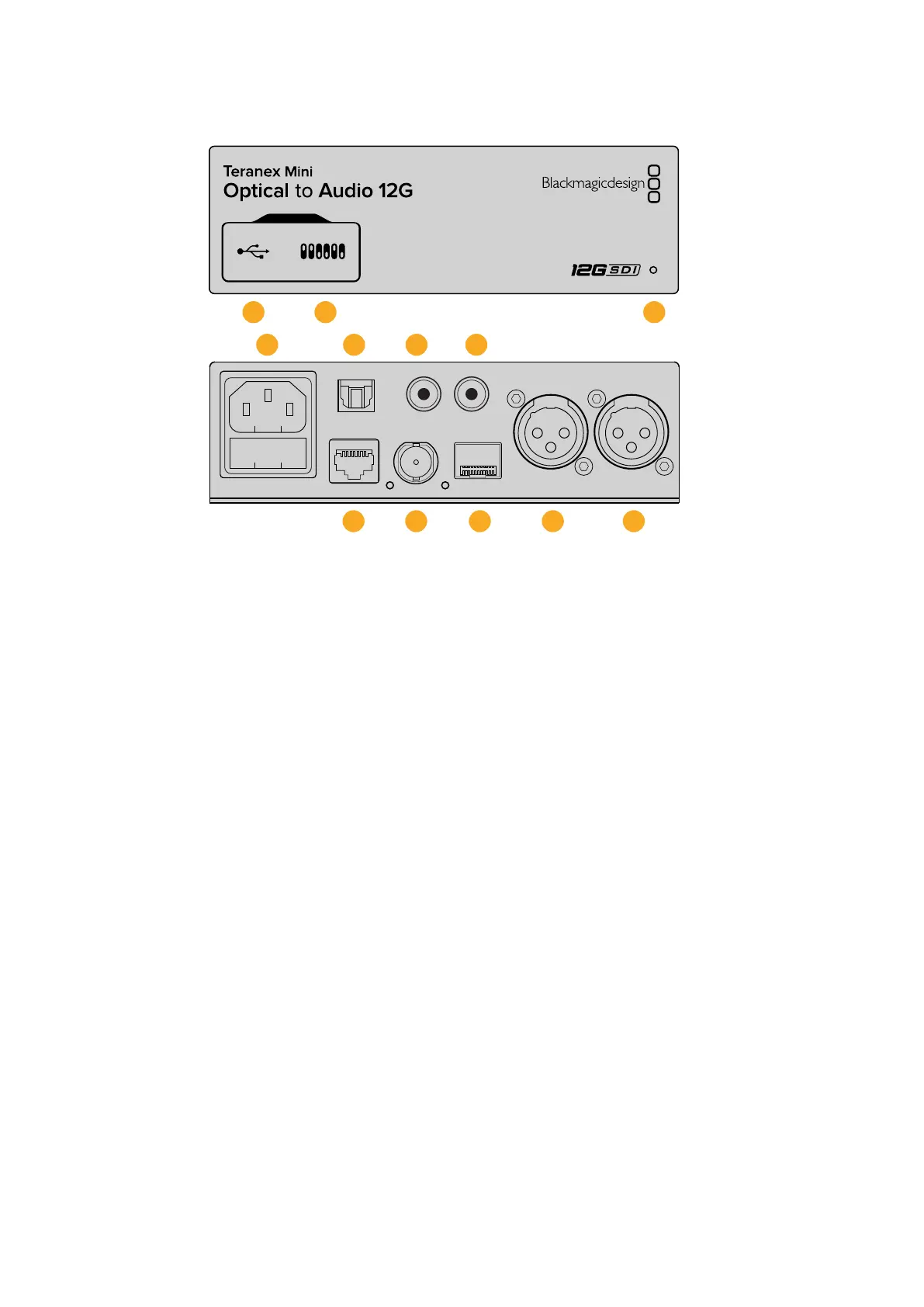
Connectors
1 Mini-B USB Port
Connects to the Blackmagic Teranex Setup software via a Mac or Windows computer
for adjusting settings and updating your Teranex Mini’s internal software.
2 Switches
Adjustable switches for changing settings.
3 LED Status Indicator
Glows white when the converter is receiving power and green when a valid video input
signal is detected. Will flash on/off to identify individual converters via Blackmagic
Teranex Setup.
4 Power
Standard built in IEC C14 connector for 90 - 240 volt AC power supply.
5 Optical S/PDIF Audio Output
S/PDIF Signal with TOSLINK Connector.
6 L – Unbalanced HiFi Analog Line Level Output
Unbalanced left channel analog audio output RCA connector.
7 R – Unbalanced HiFi Analog Line Level Output
Unbalanced right channel analog audio output RCA connector.
8 Ethernet PoE+
Connects to a network switch or computer so you can change settings using
Blackmagic Teranex Setup. The Ethernet port also supports power over Ethernet.
9 SDI In
SDI video input BNC connector.
85Teranex Mini – Optical to Audio 12G











 To Next Page