Bladelius Embla User Manual
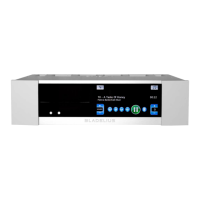
User interface overview - Display element description
© 2009 by Bladelius Design Group. All rights reserved
4
Display element description
Number Description
1 Setup menu button
2 Settings menu button
3 Information button
4 Backup button
5 CD playback button
6 Internal memory playback button
7 USB playback button
8 Network playback button
9 Audio playback menu button
10 Album Art of current playback album
11 Elapsed playback time
12 Increase master volume
13 Current master volume / mute indicator / master volume bypass
indicator
14 Decrease master volume
15 Indicator of new software available for download
16 Stop button
17 Play / pause button
18 Network present indicator
19 Skip track forward
20 USB device present indicator
21 Fast forward
22 CD present indicator
23 Fast reverse
24 Skip track backward
25 Change playback source previus
26 Change playback source next
27 Random playback indicator
28 Repeat playback indicator
29 Name of current artist, track and album
30 Name of an album for the selected artist.
31 Name of the selected artist.
32 Button for copy a selected artist, album or track to USB memory
device.
33 Button for delete of selected artist, album or track.
34 Button for closing the menu and return to playback display.
35 Page number of current display.
36 Total number of pages for the current selection or sub menu.


 To Next Page