Bladelius Embla User Manual
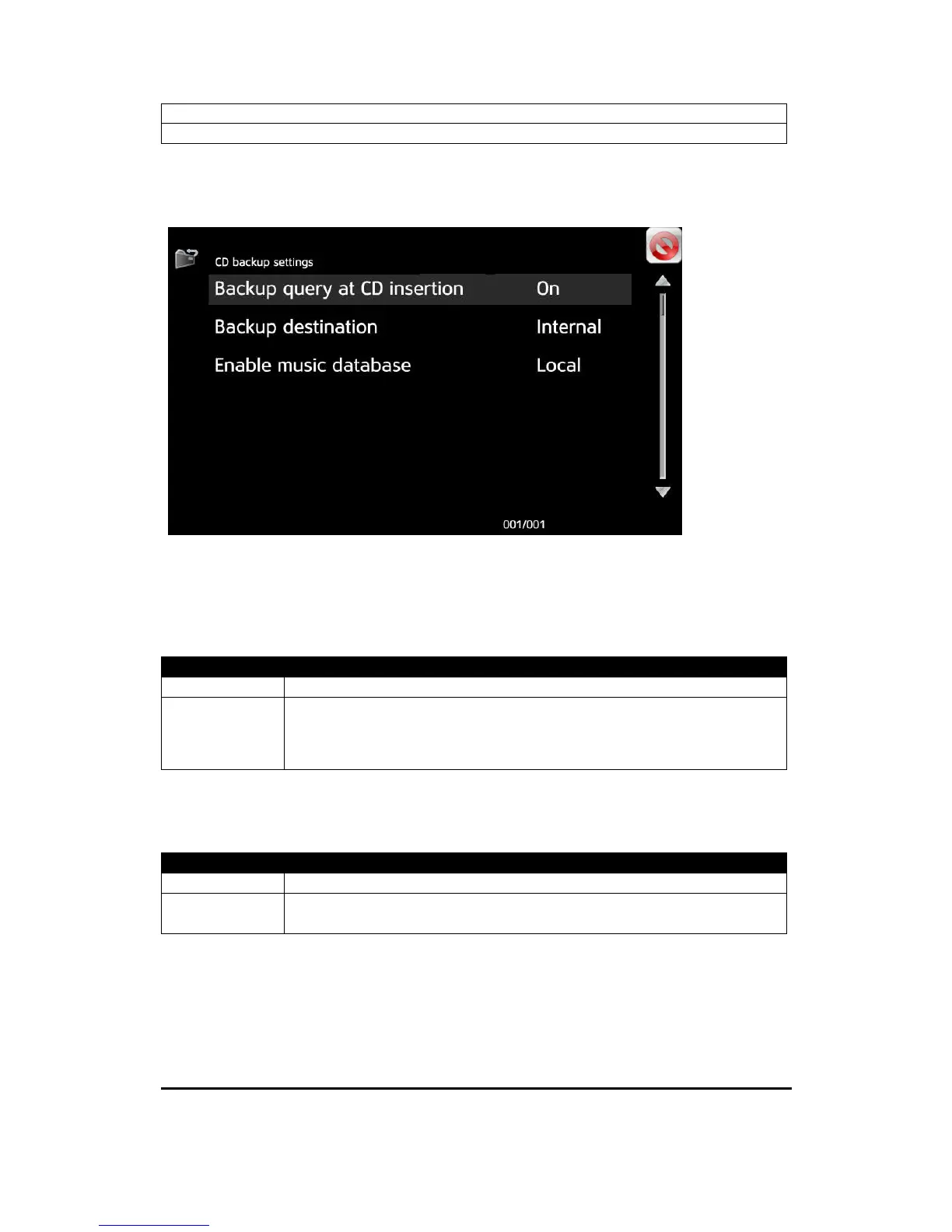
Reference - CD backup settings
© 2009 by Bladelius Design Group. All rights reserved
19
CD backup settings
Backup query as CD insertion
This setting controls if Embla should prompt for every inserted disc that it is
available for backup.
Options
Yes *) Embla will prompt for backup on disc insertion.
No Embla will not prompt for backup on disc insertion. Backup has
to be started by selecting the “Backup” button from the “Setup
menu”.
Backup destination
Use this setting to select where store the CD backup.
Options
Internal *) CD’s will backup to the internal memory.
USB CD’s will backup to the USB device.
Note! The USB device must be in FAT format!


 To Next Page