7
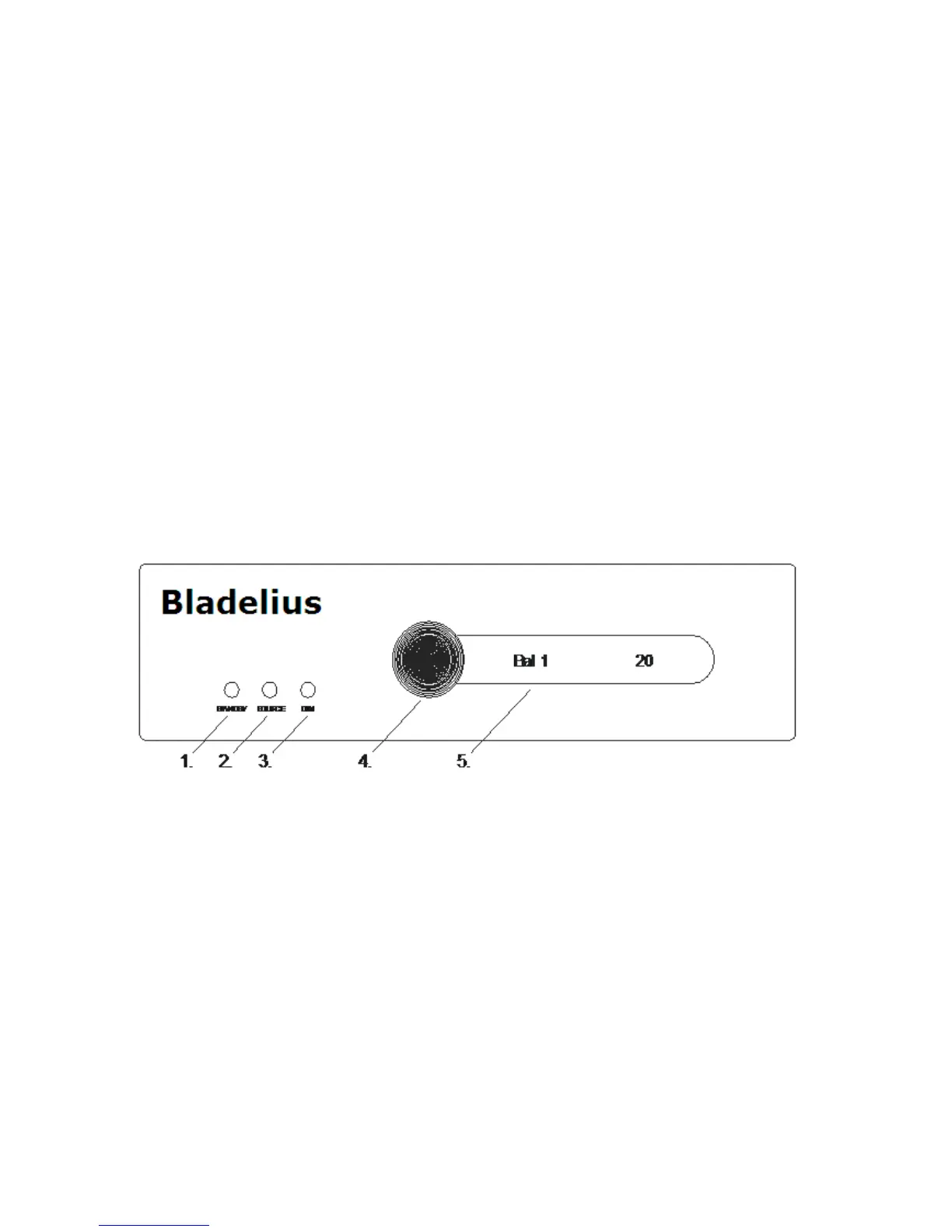
Front panel
1. STAND BY
For best results, the Thor should be left on or in the standby
mode at all times. The unit should not be switched off by
removing the power cord unless the unit will not be used for
a significant period of time (during vacations, etc.).
2. SOURCE
Use this button to change the current input source.
3. DIM
Push button to adjust the display brightness.
4. VOLUME CONTROL
Use the “wheel” to choose output level.
5. DISPLAY WINDOW
The display window indicates the current status of the unit.
All functions and programming features of the Thor are ac-
cessed through the remote control.



 To Next Page