14
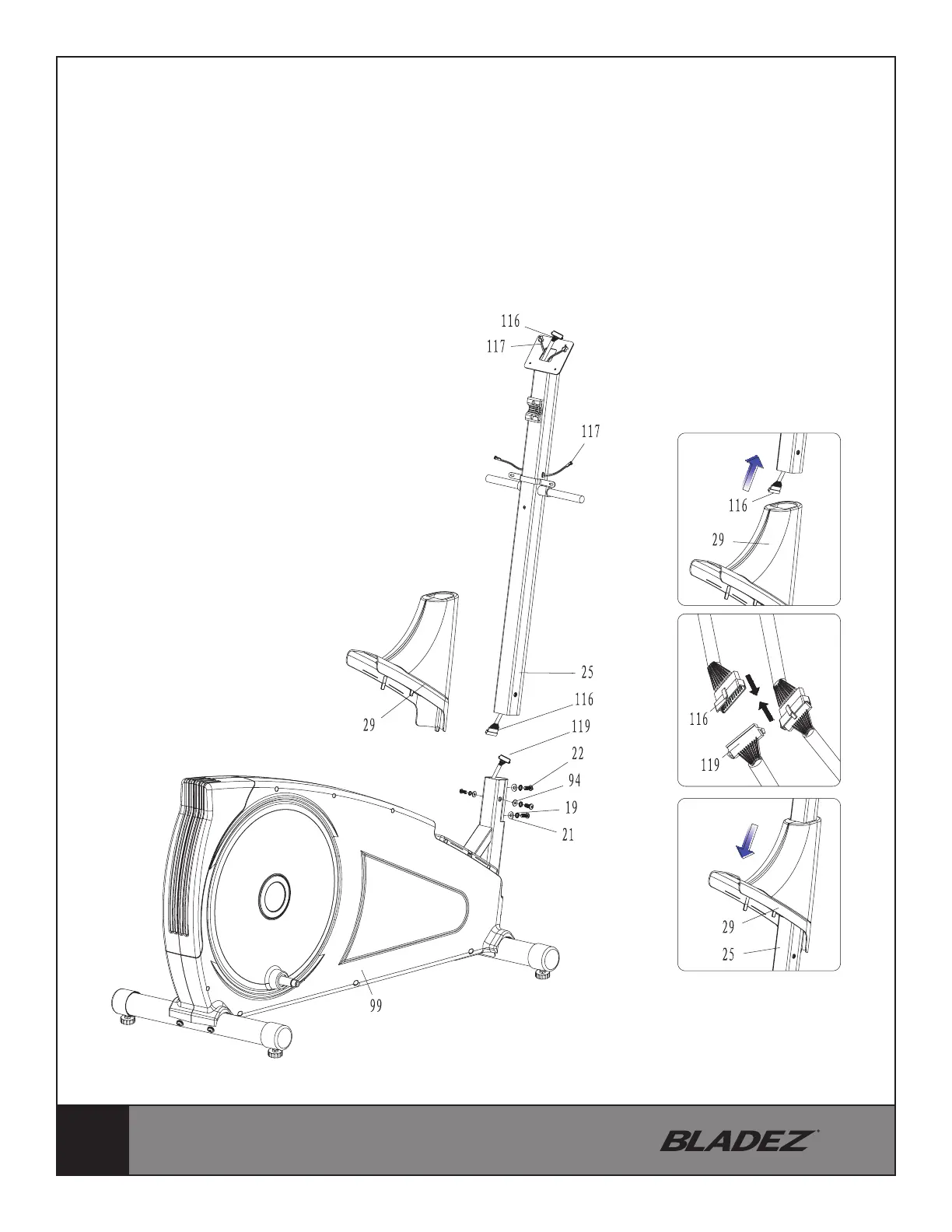
STEP 2
Remove the pre-assembled 4 Allen Bolts (22), 4 Spring Washers (19), 2 Curved Washers
(21) and 2 Flat Washers (94). Lift the Handlebar Post (25) until it is vertical and slide on
the Front Protection Cover (29), connect the Upper Computer Cable (116) with the Lower
Computer Cable (119), then attach the Handlebar Post (25) onto the Main Frame (99).
Secure it with 4 Allen Bolts (22), 4 Spring Washers (19), 2 Curved Washers (21) and 2 Flat
Washers (94).


 To Next Page