26
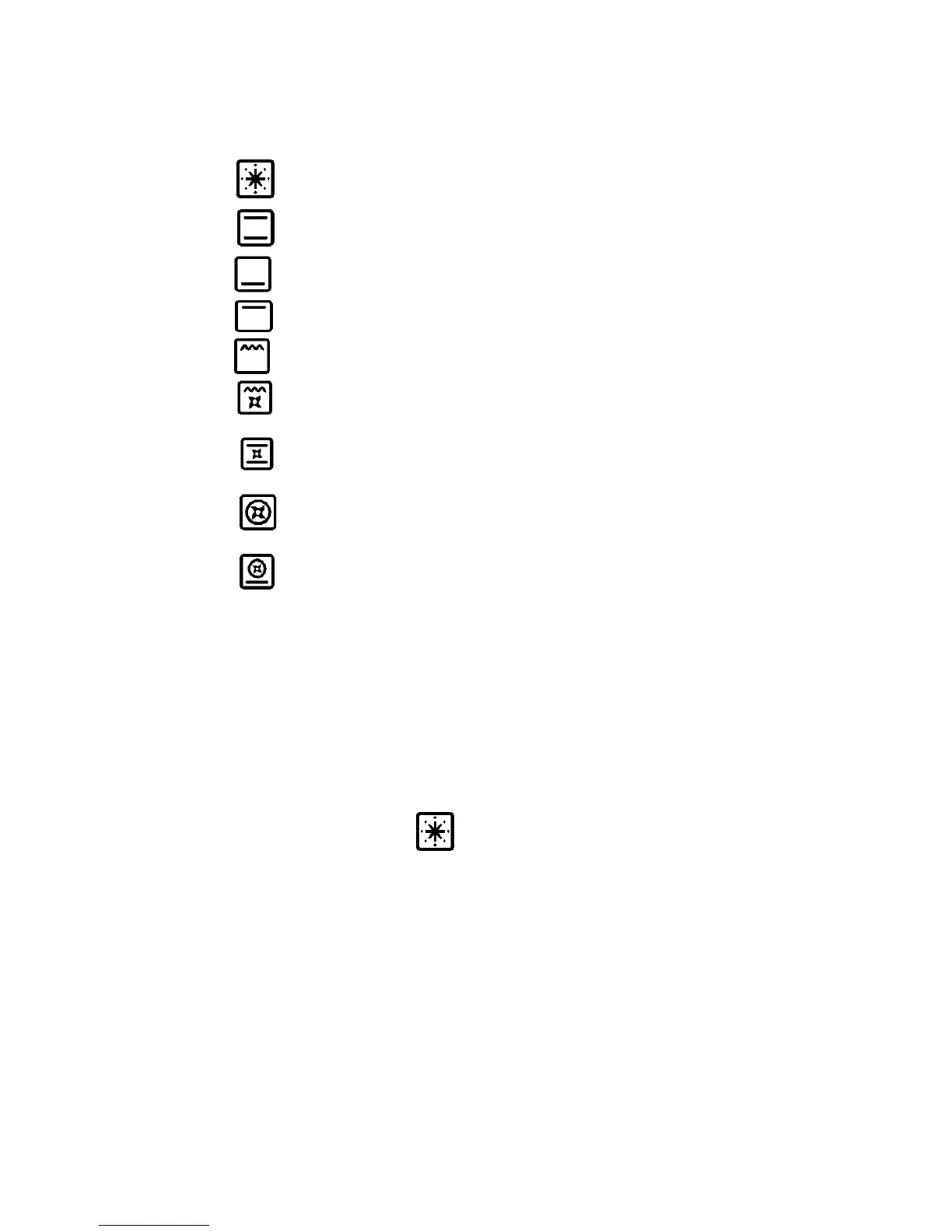
The switch has 9 different fixed positions corresponding to 9 different types of oven operation:
- the symbol indicates that all the elements and fan have been turned on (pre-heating);
- the symbol indicates the top and bottom elements have been turned on( traditional);
- the symbol indicates that only the bottom element has been turned on;
- the symbol indicates that only the top element have been turned on;
- the symbol indicates that only the grill element has been turned on;
- the symbol indicates that the top external element, the grill element and the electric fan
have been turned on ( fan grill);
- the symbol indicates that the top and bottom elements and the electric fan have been
turned on(fan assisted);
- the symbol indicates that the circular element and the electric fan have been turned on(
fan forced/convection);
- the symbol indicates that the bottom element, the circular element and the electric fan
have been turned on (pizza function/ fan forced with bottom element)
When the knob is set to one of these nine positions, the oven light is always on, thus indicating that
the oven is being energised.
There are also 2 other functions present in these models which do not have an icon but which can be
activated as follows:
• Oven Light only: choose a function with the knob, without activating the thermostat.
• Defrost: choose the ‘convection’ function with the knob, without activating the thermostat.
USING THE PRE HEATING FUNCTION
Pre heating function allow one to reach the preset oven temperature as quickly as possible.
Once it reaches the set temperature, the orange light will go out, select the type of cooking through
the switch functions and place the food in to cook.
Note: the preheating function should not be used for cooking but just to preheat the oven.


 To Next Page