www.blaubergventilatoren.de
S21
12
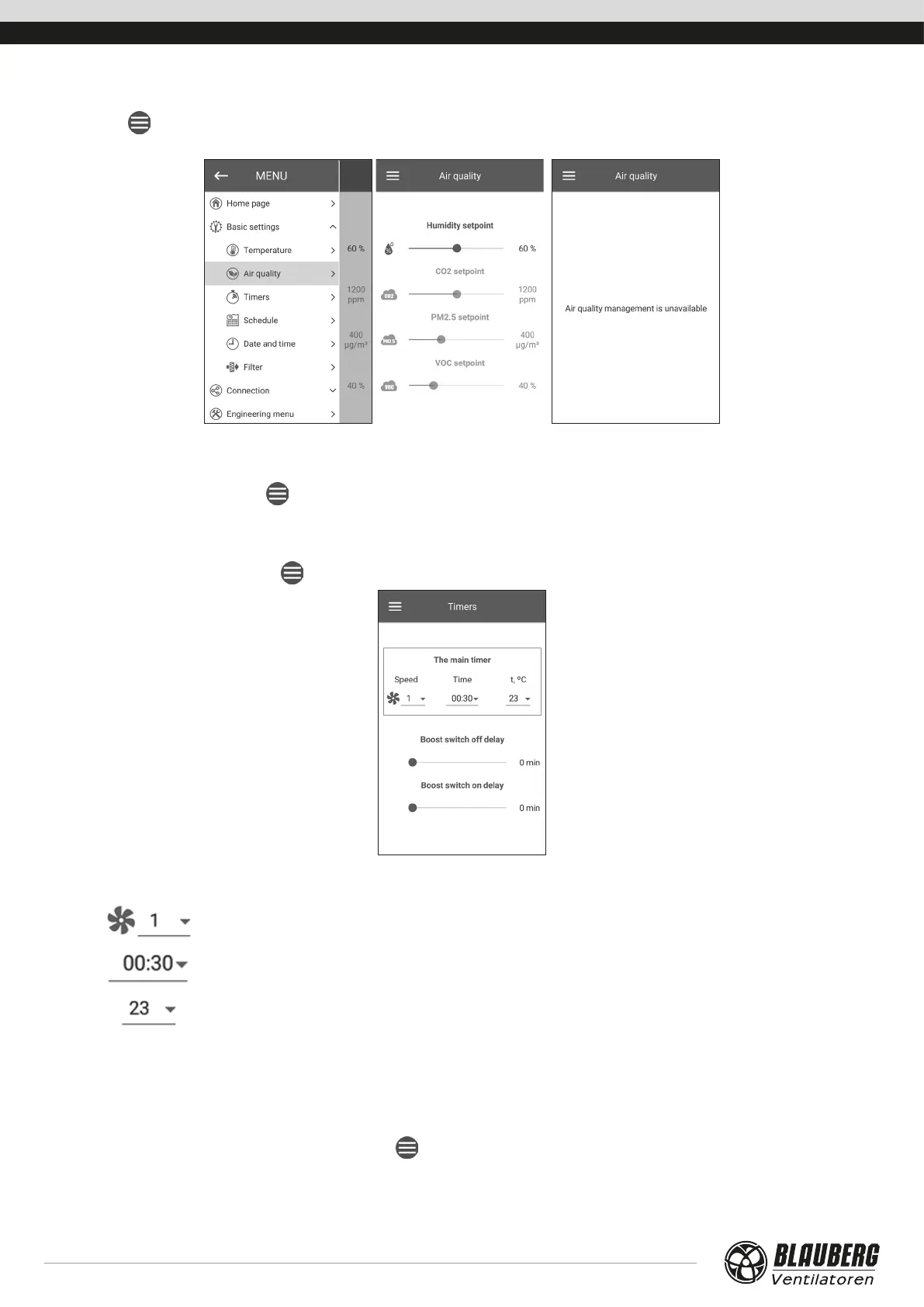
Air quality
Go to Menu ( ) - Basic settings - Air quality
This menu contains the humidity, СO
2
, РМ2.5, and VOC setpoint sliders. If any of these values are exceeded, the PI controller of the unit
will smoothly increase the fan speed. As the sensor signals revert to normal, the unit will smoothly reduce the fan speed to the initial level.
Any non-active sensors displayed as semi-transparent are not accessible.
To enable the sensors, go to Menu (
) - Engineering Menu - Sensors (see the «Engineering menu» section).
If all the sensors are inactive, the control elements are replaced with the «Air quality management not available» message.
Timers
Timer settings are made in the Menu ( ) - Basic Settings - Timers.
Main timer: Timer mode settings. When the timer is activated in the Home page menu, the unit temporarily goes to the following
settings:
Pre-set speed selection: 1,2,3...,standby.
Timer setting.
Select the desired temperature control level. The temperature control level can be selected in a
+15 °C ...+30 °C range or disabled (off ). If off is selected, the unit does not control air temperature
during timer operation.
Boost turn-o delay:
Select the delay time for the Boost mode deactivation after a loss of signal at the discrete input
(Boost switch) on the control circuit board.
Boost turn-on delay:
Select the delay time for the Boost mode activation after a supply of signal to the discrete input
(Boost switch).
To enable the discrete input (Boost switch), go to Menu (
) - Engineering menu - Sensors.



 To Next Page