www.blaubergventilatoren.de
S21
13
Schedule
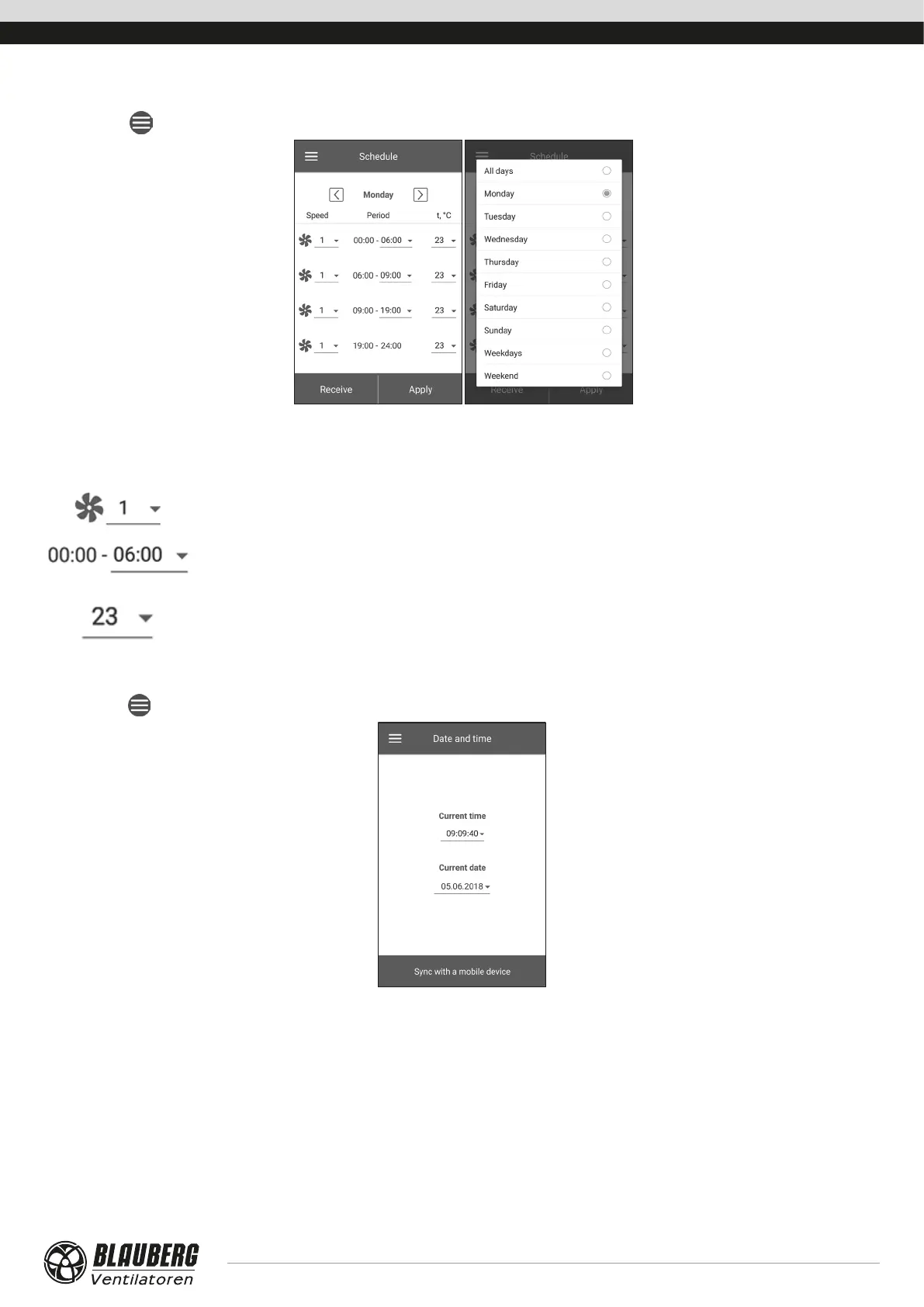
Go to Menu ( ) - Basic settings - Schedule.
To set up a weekly schedule, there are 4 time intervals available for each day of the week. Adjustment can be made separately for every
day, weekdays, weekends or for the whole week. When the Schedule mode is activated from the Home page, the unit will operate as
scheduled according to the following parameters:
Pre-set speed selection: 1,2,3...,standby.
Time setting for a specific time segment.
Control temperature selection. Options available: +15 °C ...+30 °C, off. If OFF is selected, temperature control
will not be performed for a specific period of time.
For proper operation of Schedule, make sure to set the correct date and time.
Date and time
Go to Menu (
) - Basic settings - Date and time.
Current time and date are displayed and adjusted in this menu.
Time display format: hh:mm:ss.
Date display format: dd.mm.yyyy.



 To Next Page