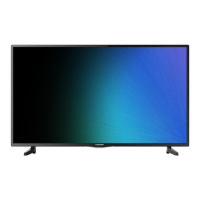
This document is an instruction manual for a Blaupunkt 50" Ultra HD LED TV, model BP5000AU6000. It provides comprehensive guidance on the safe operation, installation, and various features of the television, aiming to ensure users can "Enjoy it."
Function Description
The Blaupunkt BP5000AU6000 is a 50-inch Ultra HD LED television designed for home entertainment. Its primary function is to display high-resolution video content from various sources, including broadcast television (DTV and ATV), external media devices connected via HDMI, and USB storage devices. The TV supports Ultra HD (4K) content, offering a sharp and detailed viewing experience.
Beyond basic display, the television integrates several advanced functionalities:
- Media Playback: It can play back video, music, and photo files directly from a connected USB storage device, transforming the TV into a versatile media center.
- Recording (PVR): In DTV mode, the TV allows users to record programs onto a FAT32 formatted USB device. This feature enables time-shifting, where live TV can be paused and resumed at the user's convenience.
- Electronic Program Guide (EPG): For DTV channels, an EPG provides a schedule of upcoming programs, allowing users to browse, select, and even schedule recordings or reminders for their favorite shows.
- Connectivity Hub: With multiple HDMI ports, USB inputs, and other audio/video connections, the TV serves as a central hub for various entertainment devices like gaming consoles, Blu-ray players, and sound systems.
- CEC Control: HDMI CEC (Consumer Electronic Control) allows for integrated control of connected HDMI devices, simplifying the user experience by enabling devices to communicate and operate together.
Usage Features
The TV is designed with user-friendly features to enhance the viewing experience:
- Intuitive Navigation: The remote control is equipped with dedicated buttons for common functions like power, source selection, volume, channel change, and direct access to menus, media playback, and the EPG. Directional arrows and an "OK" button facilitate easy menu navigation.
- Picture and Sound Customization: Users can adjust various picture settings (e.g., Picture Mode, Contrast, Brightness, Colour, Sharpness, Colour Temp, Noise Reduction, HDMI Mode) and sound settings (e.g., Sound Mode, Treble, Bass, Balance, Auto Volume Level, S/PDIF Mode, Audio Delay) to tailor the audio-visual output to their preferences and viewing environment.
- Channel Management: The TV supports auto-tuning for both DTV and ATV channels, as well as manual tuning options. Users can edit program lists and access signal information.
- Parental Control and Security: A "Lock Menu" allows users to set a password, lock specific channels, and enable parental guidance features, providing control over content access. A master password is provided in case the user forgets their custom password.
- Time Management: "Time Settings" include clock display, time zone selection, sleep timer, auto standby, and OSD (On-Screen Display) timer, offering convenience and energy-saving options.
- System Setup: The "Setup Settings" menu allows for language selection, audio and subtitle language preferences, aspect ratio adjustment, blue screen toggle, and system information display. It also includes options for resetting to factory defaults and performing software updates via USB.
- Media Playback Controls: When playing media from a USB device, the remote provides controls for pause/start, fast forward/backward, stop, and navigation between files.
- Teletext Functionality: For broadcasts that support it, the TV offers teletext features, including displaying hidden information and freezing the current picture.
Maintenance Features
The manual emphasizes several key aspects for maintaining the TV's safety and longevity:
- Safe Installation: Detailed instructions are provided for attaching the stand, including precautions against damaging screw holes. For wall-mounting, professional installation is recommended to prevent damage or injury. The VESA pattern (200 x 200mm) is specified for wall mounts.
- Environmental Considerations: The manual advises positioning the TV in a well-ventilated, dry area, away from direct sunlight, heaters, splashes, food, and excessive dust or grease. It warns against placing objects on top of the TV, especially those filled with liquids, or small metallic objects that could cause short circuits.
- Power Cord Handling: Users are instructed to ensure the power cord is undamaged, not bent, twisted, or kinked excessively, and not placed near heat-producing appliances. Unplugging the TV during lightning storms or prolonged periods of disuse is recommended.
- Ventilation: It is crucial not to cover the ventilation openings with items like newspapers or curtains to prevent overheating and potential fire hazards.
- Cleaning: The TV should be cleaned with a dry cloth only after unplugging it from the power socket. Chemical or wet cleaning agents are to be avoided.
- Battery Safety: Instructions for remote control battery usage include not mixing old and new batteries, using the correct type, removing batteries if the unit is unused for a long time, keeping them away from children, and never throwing them into fire.
- Professional Service: In case of unusual odors or smoke, immediate disconnection from the power outlet and contacting the service center is advised. Repairs should only be performed by qualified service personnel, using identical spare parts if double insulation is indicated.
- Anchoring Recommendation: The manual strongly recommends anchoring the TV to a wall or suitable surface to prevent toppling, which can cause serious injury or death, especially to children. It notes that fixing devices are not included due and professional advice should be sought for appropriate attachments.
- Software Updates: The TV supports software updates via USB, allowing for potential bug fixes and feature enhancements over time.

 Need help?
 General


 To Next Page