10
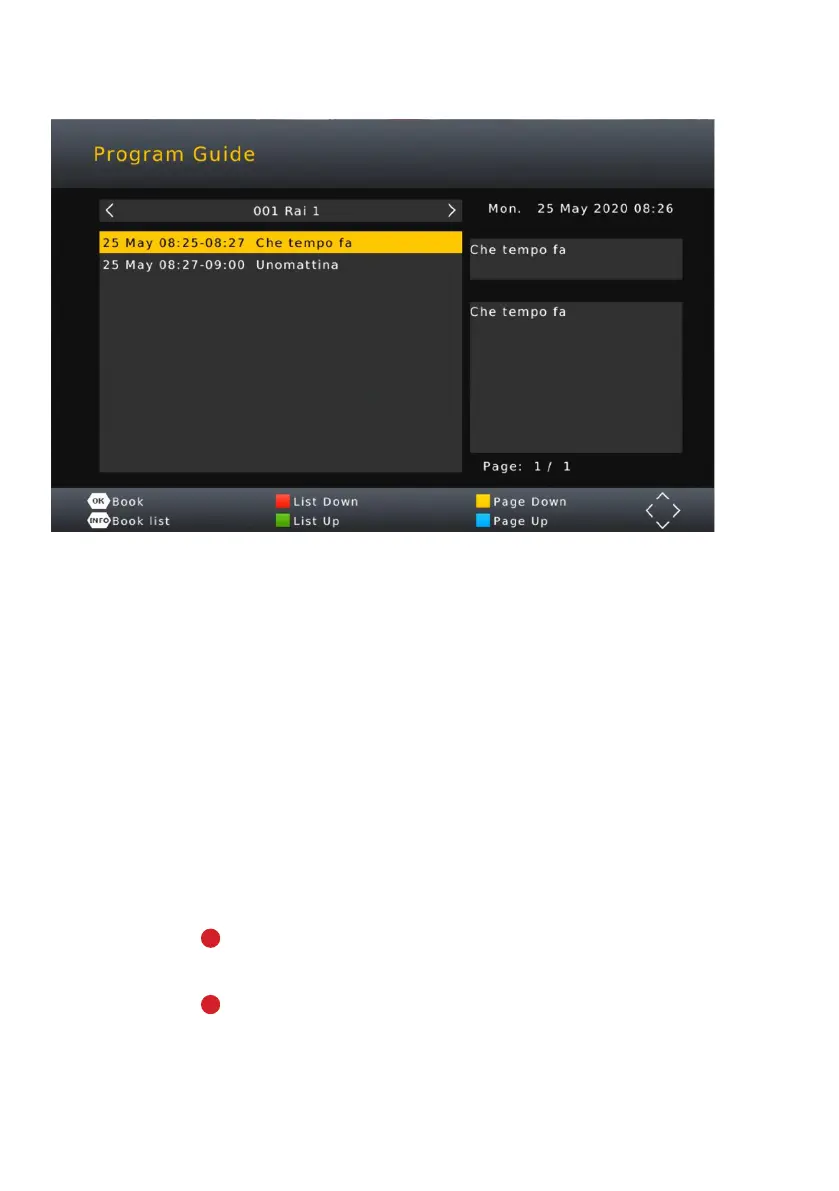
EPG (Electronic Program Guide) / Recording
1. Press UP and DOWN directions on RC to view programs
for the day.
2. RED or button on RC to start current program recoding.
Red (R) will appear when recording current program.
3. RED or button on RC while on upcoming program to schedule
a program to be recorded.
EPG (Electronic Program Guide) is used to view all channel programs
and times. Set reminders, schedule or commence recording a TV
Program immediately. Press the EPG button on RC to access.
NOTE: To allow recording/PVR functions to work, you must have a USB DRIVE inserted
into the front of the Set Top Box. (Must be FAT32 Format in order to work)
You can use the UP/DOWN key to select the preferred program. If there is
more than one page of information, use the BLUE button for page up and
the YELLOW button for page down.


 To Next Page