18
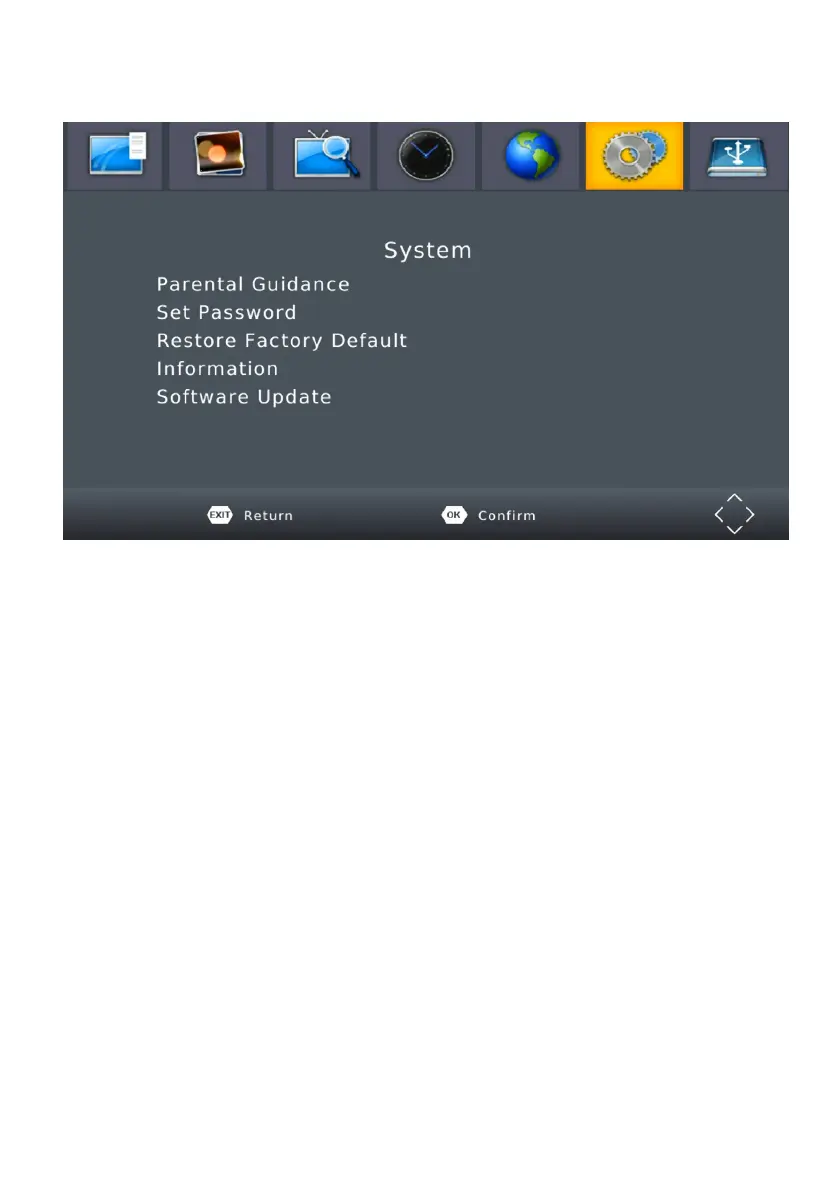
MENU - SYSTEM
To access the Menu, press MENU and select [System].The menu
provides options to adjust the system settings.
Press the UP/DOWN key to select an option and press RIGHT/LEFT to
adjust the setting. Press EXIT to exit the Menu.
(1) Parental Guidance - To restrict/lock the channel you will need to enter
either the default password ‘000000’ or your own password.
(2) Set Password - Set or change the password for locked programs.
Enter your old password or the default password ‘000000’. You will
then be asked to enter your new password. To confirm re-enter your
new password. Once it is confirmed, press EXIT to exit the Menu.
(3) Restore Factory Default - Reset your Set Top Box to the Default
Factory Settings. In Main Menu select [Restore Factory Default] and
press OK or RIGHT to select. Enter your password or the default
password ‘000000’ and press OK to confirm. This option will delete
all preset channels and settings.
(4) Information - View model, hardware and software information.
(5) Software update - If the status is set ‘ON ‘, it will scan new software
from broadcast according to your preferred time in “Start time”.


 To Next Page