13
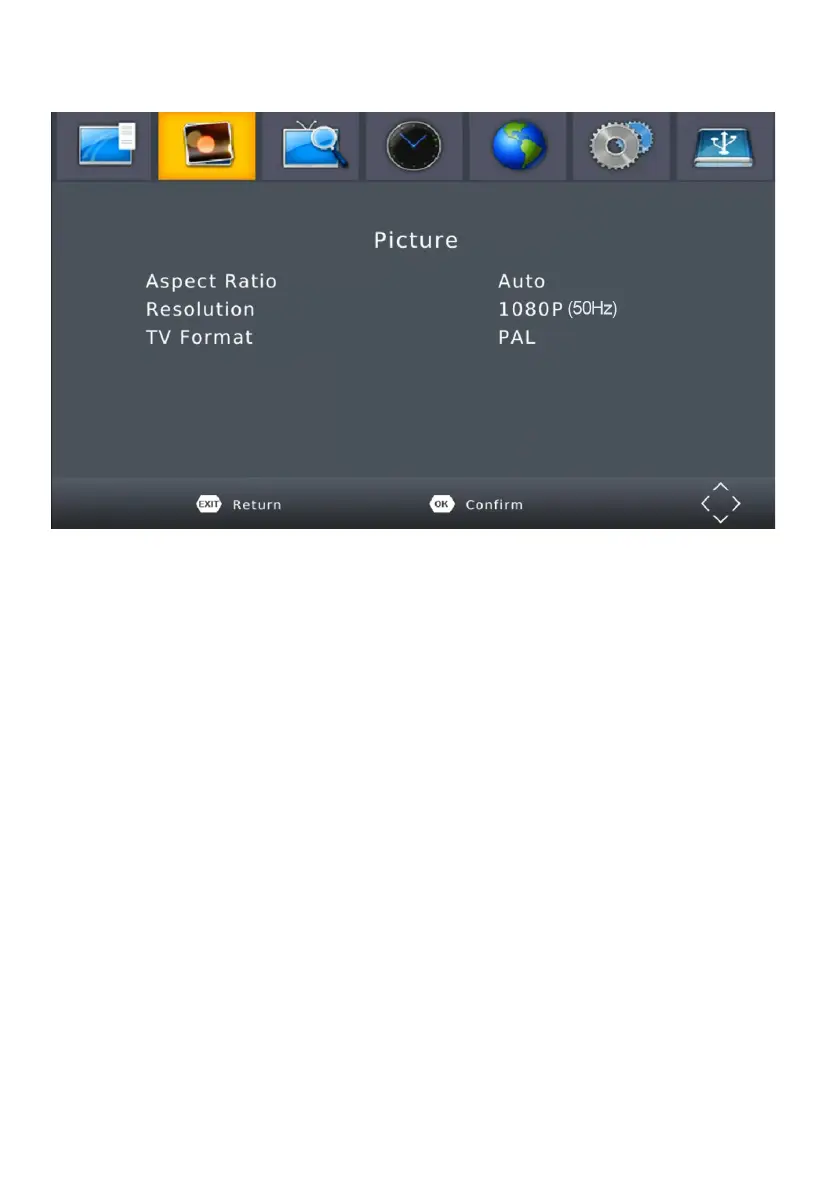
MENU - PICTURE
To access the Menu, press MENU then select [Picture]. The Menu
provides options to adjust the video settings. Press UP/DOWN to select
an option and press RIGHT/LEFT to adjust that setting. Press EXIT to exit
the menu.
(1). Aspect Ratio - You must set the display format to either 4:3 PanScan,
4:3 Letter Box, 16:9 Full Screen or Auto to get the maximum
display when watching TV.
(2). Resolution - If the video does not appear correctly, change the
setting. This setting is to match the most common setting for HDMI.
[480i]: for NTSC system TV / [480P]: for NTSC system TV.
[576i] : for PAL system TV / [576P]: for PAL system TV.
[720P]: for NTSC or PAL system TV / [1080I]: for NTSC or PAL system TV.
(3). TV format - If the video does not appear correctly, you need
to change the settings. This should match the most common setting
for TVs in your country. [NTSC]: for NTSC system TV / [PAL]: for PAL
system TV.


 To Next Page