3
FRANÇAISENGLISH ESPAÑOL
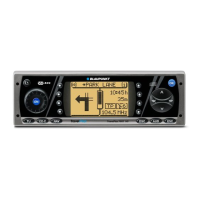
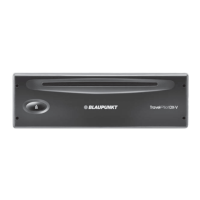
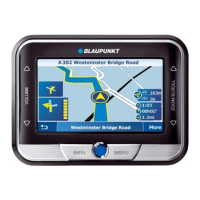
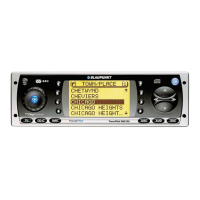
Equipment illustration
1 Open button, access to CD-Rom drive.
2 ON button.
3 Rotary volume control.
4 Hotkey, programmable function key. Refer to the section on “Pro-
gramming the hotkey” in the chapter on "Set-up"
5 Dot-matrix display for general oper ation.
6 Info key. During route guidance press the Info key to have the last
voice output for navigation repeated and the active destination dis-
played. List entries marked by ... will be displayed in full length.
7 Rocker switch. The functions performed by the rocker switch depend
on the menus or operating modes which are currently active.
8 OK, input/confirmation key.
9 ESC, quits menus without saving any changes made.
: AUD, activates the Audio menu.
; DSC, Direct-Software-Control key activates the DSC menu.
< Softkeys 4 to 6. The functions performed by the softkeys depend on
the contents of the menus on the control display.
= Softkeys 1 to 3. The functions performed by the softkeys depend on
the contents of the menus on the control display.
> NAV, activates navigation functions.
? CD.C, activates the CD-player or CD-changer operating mode.
@ TU, switches to the radio operating mode.



 To Next Page