78
Setting the clock
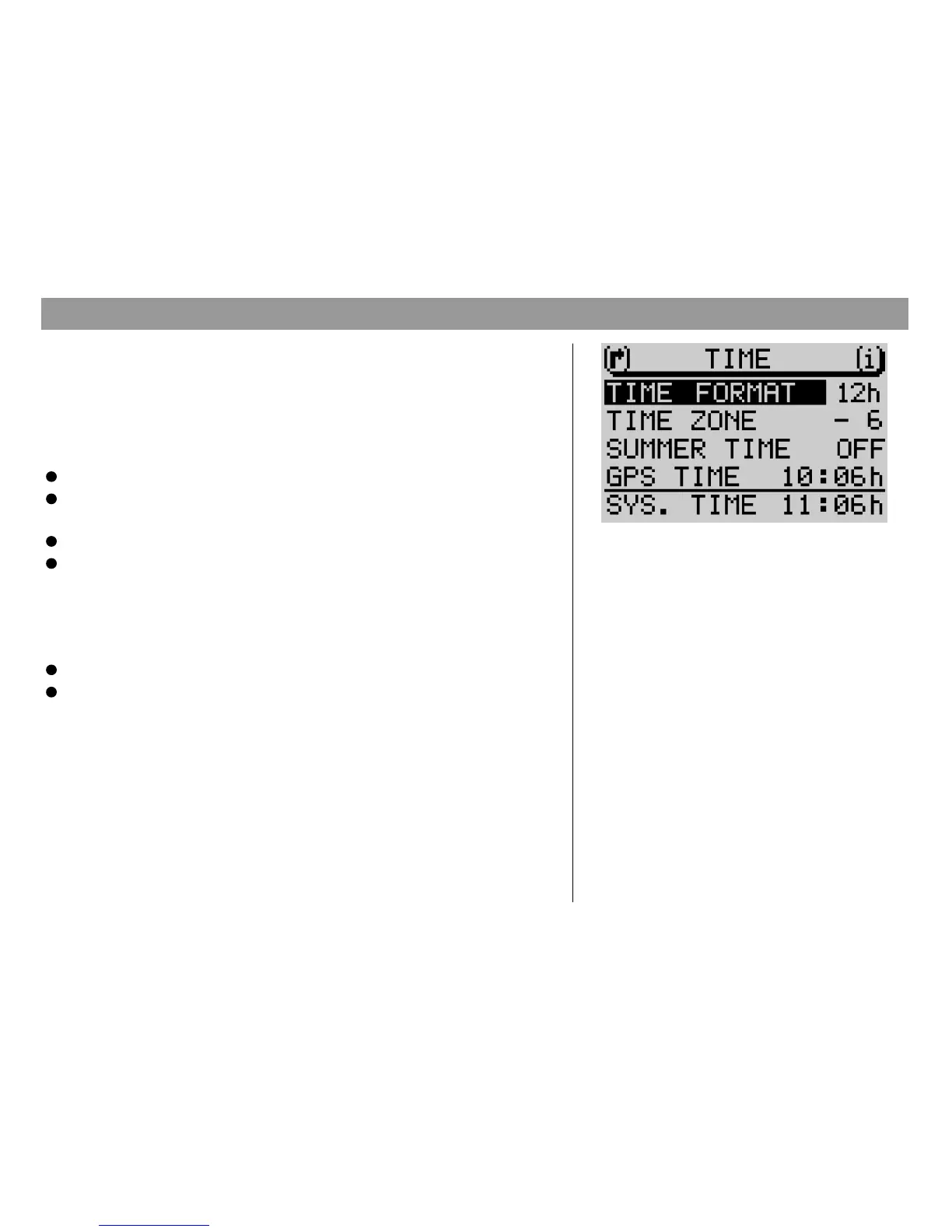
Use the Set-up menu Time to activate or deactivate summer time as well as the
time format (12/24 hours) and the time zone with respect to Central European
Time (CET). These settings are required so that the TravelPilot is able to deter-
mine the system time from the GPS time it receives.
Selecting the time format
Mark the menu item
TIME FORMAT
in the Time Set-up.
Press OK 8.
Selecting the time zone
Select
TIME ZONE
in the Set-up menu Time,
Press OK 8.
Now you can select the value for the time zone.
Activating summer time
If you activate/deactivate summer time, the system time will be adjusted auto-
matically. To activate/deactivate summer time,
Select
SUMMER TIME
from the Set-up menu Time and
Press OK 8.
The system time will be adjusted. The current setting:
ON
or
OFF
will appear in
the display behind
SUMMER TIME
.
Set-up/Basic settings
Set-up menu Time



 To Next Page