39
Navigation
FRANÇAISENGLISH ESPAÑOL
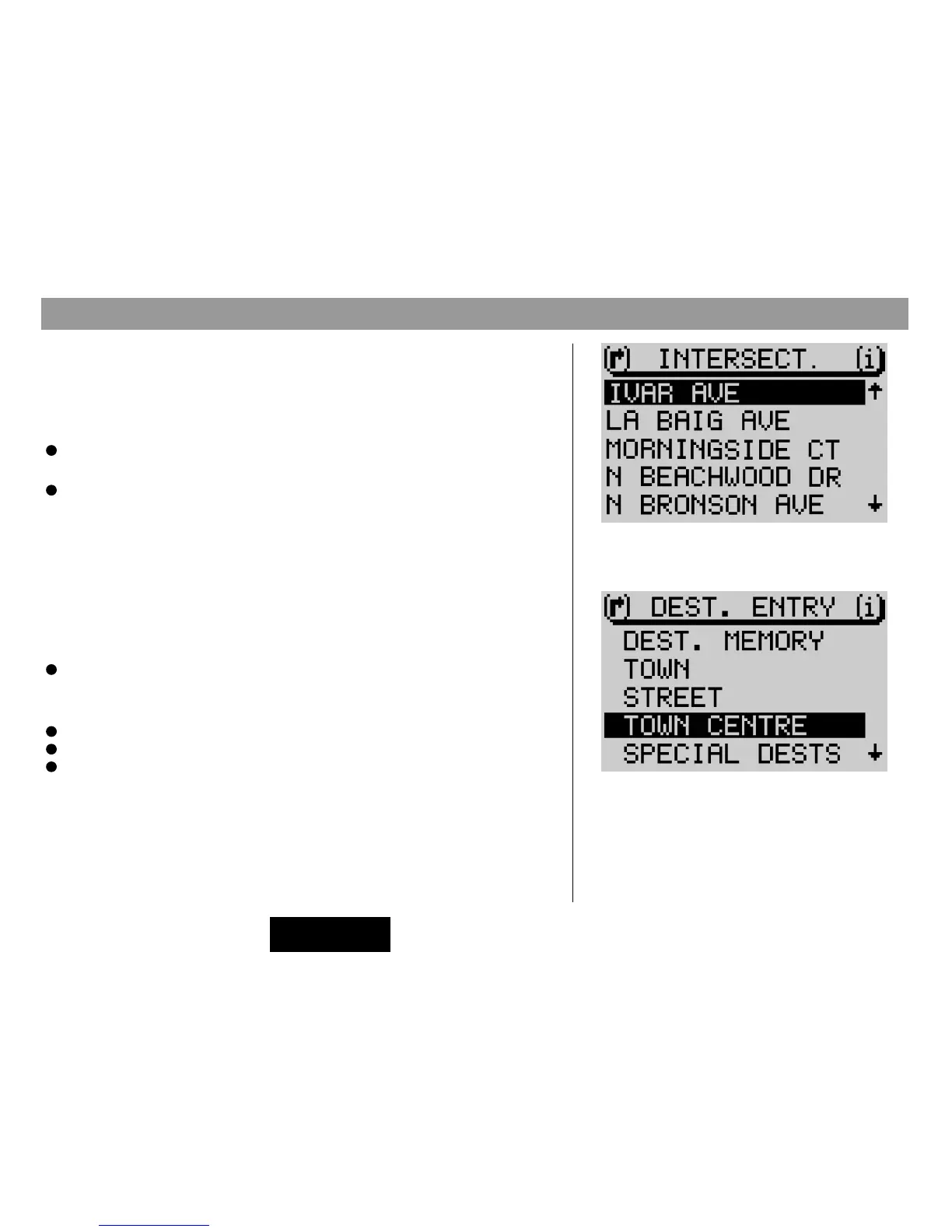
Destination entry - Intersection
If you select
INTERSECTION
in the destination entry menu, a list of the availa-
ble intersecting streets for the destination street will appear. If there are more
than twenty intersections, an editing menu will appear so that you can find the
intersection you are looking for more easily.
Enter the name of the intersecting street into the edit menu and switch to
the list.
Select the desired intersecting street from the list.
The main navigation menu will appear. Now you can select route options in the
DSC menu, if desired, and start route guidance to the selected intersection. For
more information, refer to the sections on Route options and Route guidance.
Destination entry - Town centre
If you select
TOWN CENTRE
after you have entered the town or if you select
TOWN CENTRE
from the destination entry menu, a list of the available town
centres will appear.
Select the town center you are looking for from the list.
If there are more than 20 town centers available in the destination town, an edit
menu will appear to allow you to select the town center you are looking for.
Enter the name of the town center,
Activate the list and
Select the town center from the list.
List of street junctions
Destination entry menu



 To Next Page