70
Switching the playing time indicator on/off
During playback, either the track number and the playing time elapsed for the
track or the number of the CD and the track number will appear in the top line of
the main menu. If you would like to switch between the playing time indicator and
the display of the CD number,
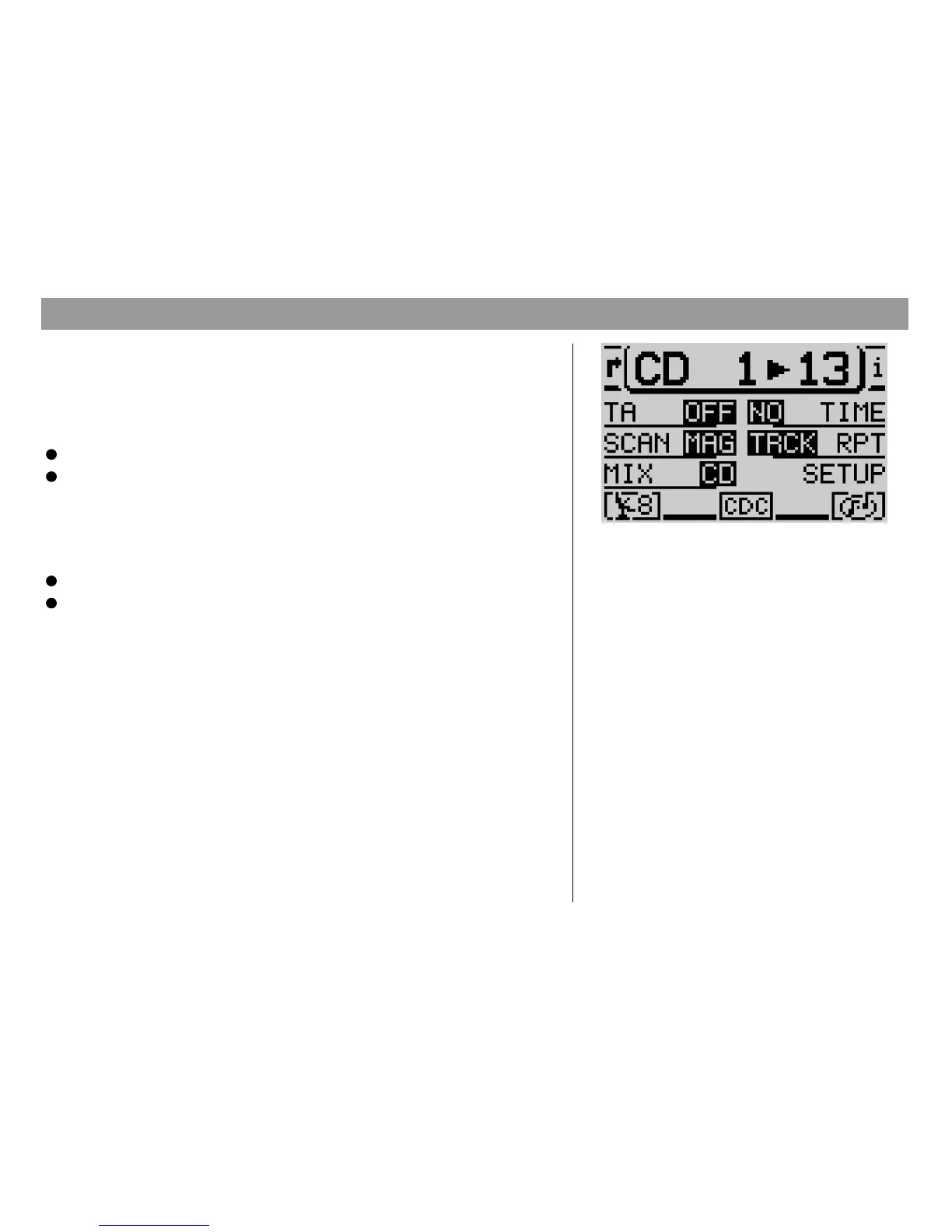
Press DSC ; to activate the DSC menu for CD changer operation and
Press the softkey marked
TIME
.
Activating/deactivating traffic announcements (CD changer)
To switch traffic information standby (see Traffic Announcements TA) on or off
during CD changer operation,
Press DSC ; to activate the DSC menu for CD changer operation.
Press the softkey marked
TA
.
The current setting will appear next to
TA
. The TA symbol will either appear in or
disappear from the status line in the main CD menu.
If you have programmed the hotkey accordingly (see ”Programming the hotkey”),
you can also use the hotkey to switch the TA function on and off.
With the help of the RC06 steering-wheel remote control, you can operate some
of the basic TravelPilot functions conveniently without ever taking your hands
from the steering wheel.
CD changer DSC menu
CD changer operation



 To Next Page