71
FRANÇAISENGLISH ESPAÑOL
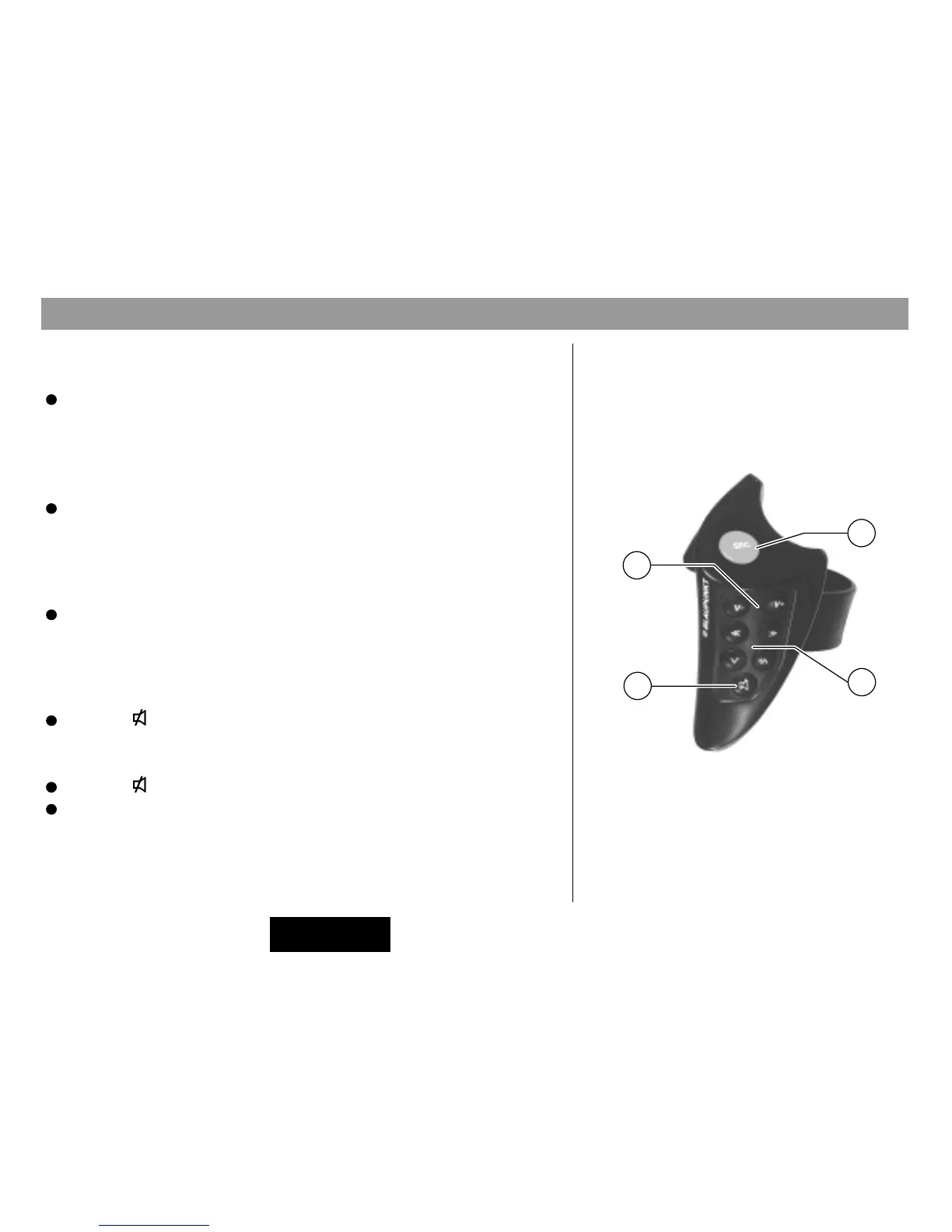
RC06 remote control unit
Selecting the audio source
Use the RC06 remote control to switch the active audio source.
Press SRC 1 on the remote control.
The next audio source which is ready to operate will begin to play.
Activating navigation
To activate navigation with the RC06 remote control,
Press down SRC 1 on the remote control until the system switches to
navigation mode.
Adjusting the volume
To adjust the volume with the remote control,
Press V+ or V- 3.
The volume will increase or decrease.
Mute
You can only use the remote control tX paHa@a the aud-o `¯4 `te.
Press 4.
Cancelling the mute function
If you want to cancel the mute function,
Press 4 again or
Press V+ or V- 3.
4
3
2
1
RC06 remote control



 To Next Page