10
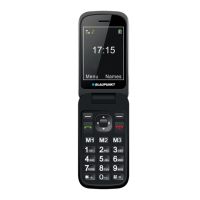
Press button 1 to access the Voicemail service (if the service is active on the SIM card).
MAIN MENU
In standby mode, press the left soft key to enter the Main Menu. Within the Main Menu, you can access
many functions and operations: Contacts, Call Logs, Messaging, Settings, Camera, Images, FM Radio,
Entertainment, Organizer, Profiles, My files, Application.
CONTACTS
In standby mode, you can enter the Phonebook with the right soft key or you can access it in the menu
Menu>Contacts. Here you can store and edit contacts.
The number of contacts that can be stored on the SIM card depends on the capacity of the card. You can
store 1000 contacts in the phone memory. By entering the phonebook, you can view all contacts (stored on
the SIM card and device).
A different icon indicates which contact is saved to which storage location.
You can search for the given contact by entering the first letter of the contact.
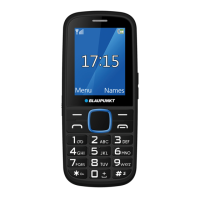
After searching for the contact, you can call the given number by pressing the Dial button, and disconnect
the line by pressing the End/On/Off button.
ADD NEW CONTACT
In standby mode: enter the phone number, then press the middle [OK] key (Add to Names) or the left soft
key [Options > Add to Contacts]. You can create a new contact or add the phone number to an existing
contact. Attention! The device can store only one phone number for a name: in the case of an existing
contact, it is possible to change the phone number.
Choose where to save the contact (SIM card or phone) or enter the name for the phone number, then press
the [OK] button (left function button).
To save, press the [Save] (left) button.
In Phonebook mode: Options > New.
The following options can be found in the Phonebook menu by pressing the left software button [Options]:
● New: add a new contact.
● Delete multiple: delete multiple selected contacts.
● Delete all: deletes all contacts.
● Delete Phone: delete all contacts stored on the phone.
● Delete SIM1: delete all contacts stored on SIM1.
● Delete SIM2: delete all contacts stored on SIM2.
● Copy/Move: copy phone numbers (the original contact remains) or move (the contact is deleted from the
original location) from SIM to phone and vice versa.
● Import / export: import/export of contacts from/to memory card in vCard format.
● Others: in this menu, Speed Dial is available, and here you can check the status of the memory.
By pressing the [Options] button within the given contact, additional options are available:
● SMS: sending a text message to the selected phone number.
● Call: dial the selected phone number
● Delete: delete the selected contact
MESSAGING


 To Next Page