8
2. If you insert the SIM card into the device, the PIN request and the phone password are active, the device
prompts you for the password and PIN code and switches to standby mode.
After switching on, the phone automatically searches for the network. If the device has found the allowed
network, it will display its name and signal strength.
If your device does not find a suitable network, you can only make an emergency call or access non-network
services on your phone.
CALL FUNCTIONS
If you have completed the steps in the previous chapter, the machine is ready to make and receive calls. For
more information about call origination and basic call functions, see this chapter.
Note: If you are using a headset, gently insert and unplug the jack plug to avoid possible injury.
MAKE A CALL
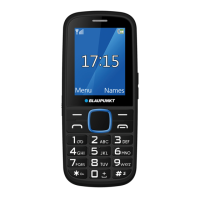
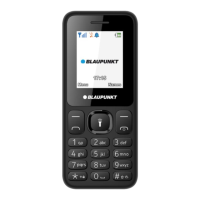
In standby mode, press the appropriate number keys to enter the phone number you want to call, press
right soft key to delete incorrect numbers, press left soft key or dial key to start the call if the entered number
is correct. If you use the device with two SIM cards, select which card you want to start the call from.
To enter the international phone number format, press the [*] key twice until the international call sign "+"
appears on the display.
RECEIVE A CALL
When you have an incoming call, the device will alert you in the appropriate way, if your service provider
supports calling number display, the display will show the caller's number or the name of the caller
(depending on whether it was previously saved in the phone book).
1. Press the dial button or left soft key and answer the incoming call with [Answer].
2. If the answer any button function is active [Menu / Settings / Call settings / Others / Answer/Reject
mode / Any-key answer], you can answer the call with any button, except the right software button and the
End/Power button.
3. If the headset is connected to the device and the [Auto answer when earphone mode] function is
activated [Menu / Settings / Call settings / Others / Answer/Reject mode / Auto answer when earphone
mode], your phone will automatically answer incoming calls after 5 seconds of vibration or ringing.
4. If you do not want to answer the call, press the End/Power button to reject the call.
You can also use the End/Power button to end the call.
5. If the <Reply SMS after reject> function is active [Menu / Settings / Call settings / Others / answer/Reject
mode/ Reply SMS after reject], after rejecting the call, you can send a <Reply> message from the predefined
templates.
6. During a call, you can use the up/down navigation keys to decrease or increase the speaker volume.
EMERGENCY CALL
You can also initiate an emergency call without a SIM card. Different networks may use different emergency
numbers, please contact your network provider.
CONFERENCE CALL


 To Next Page