9
If the network supports it, a multi-party call is also possible. In standby mode, enter the phone number with
the area code in international format.
Press the call button to dial.
To add a new call, type the second phone number, then dial the desired number. You can also make a new
call from contacts stored in the phonebook; to do this, press the [Menu] button during an active call, select
the [Contacts] menu, find the contact you want to dial, and then press the Call button. When the call is
connected, press the [Menu] button and select the [Merge calls] menu. You can add more calls by repeating
the previous steps.
HÍVÁS KÖZBEN ELÉRHETŐ FUNKCIÓK
Some operations and services are also available during an active call. Several of these depend on network
support, please inquire about these options with your network provider.
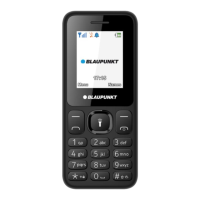
Press the middle button [OK] to activate Handsfree during an active call; you can return the call to the
handset in the same way.
By pressing the left soft key [Menu], you can access the services that can be used during an active call, which
are as follows (some functions can only be used under special conditions):
● Connect to BT headset: switch to bluetooth headset
● Add new call: you can add a call from the call log.
● Hold/Unhold: You can put the active call on hold or take it back from hold.
● Mute: you can mute your device's microphone if you need to have a conversation during a call so that the
person on the other end of the line cannot hear it.
● Adjust volume: use the up and down navigation keys to control the call volume.
● contacts: Opens the Phonebook during a call
● Call logs: you can view call history.
● Messaging: You can enter the messages menu.
● *Swap: you can swap the call on hold and the active call.
● *Merge calls: you can merge calls.
Note: Menu items marked with [*] only work under special circumstances. For example: "Swap", which is
only available when one call is on hold and the other is active. To combine calls, a service (conference call)
is required, which you can activate at your network provider.
VIEWING AND REDIALING A MISSED CALL
The device displays missed calls on the display. To dial a missed call, press the (left) <Details> key, then press
the call start key or Options > Call to dial the number.
REDIAL A PREVIOUSLY CALLED NUMBER
To display the most recently dialed numbers, press the call key in standby mode. Select the phone number
you want to dial, and press the call key again or Options > Call.
SPEED DIAL
Speed dialing allows you to dial a specific phone number by pressing and holding a button on your mobile
phone's keypad.
You can edit the service's settings (the list of your favorite contacts) in the [Contacts/ Others / Speed Dial]
menu.
In standby mode, you can use the speed dial function by long pressing one of the buttons from "2" to "9".


 To Next Page