3
SECTION 2: UNPACKING
SAVE ALL PACKAGING MATERIALS AND INSTRUCTIONS FOR FUTURE USE
2.1 UNPACKING YOUR BLENDER
You should have received the following items:
• Classic series motor base
• Blender jar with lid
• Blendtec 101 booklet
• Customer Service and Warranty Registration Card
Additional literature may be included depending on package configuration�
1� Remove blender motor base, blender jar, and lid from packaging�
2� Unwind the power cord�
3� Check for any packing material that may have blocked ventilation holes on the
underside of the blender motor base�
4� Inspect all items to ensure no damage occurred during shipment�
5� If any damage has occurred, contact your Blendtec service agent immediately�
2.2 RECORDING YOUR SERIAL NUMBER AND DATE OF PURCHASE
Record your blender motor serial number and date of purchase in the space below�
You will need these when contacting Blendtec for service or questions�
Motor Serial #(Found on bottom of motor base):_________________________
Date of Purchase: ______________________________________________
Purchased From: _______________________________________________
2.3 REGISTRATION OF YOUR BLENDER
Register online at www�blendtec�com/registration
SECTION 3: GETTING TO KNOW YOUR BLENDER
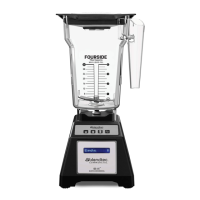
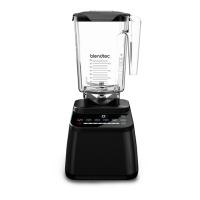
(Refer to Figures 1 and 2)
3.1 BLENDER MOTOR BASE
• Touchpad: Consists of one-touch pre programmed cycles and speeds, as well as
Stop and Pulse buttons�
• Hardened Metal Drive Socket: Where the jar couples with the motor to turn the
blade assembly; made of hardened metal�
• LCD Information Center: Displays the number of times a blend cycle button has
been pressed�
• Power Unit: This unit is located within the blender motor base and contains the
computerized electronics that run the blender�
• Motor Base Cover: Houses the power unit in a durable, plastic material�
• Power Switch: Located on the back lower-right corner of the motor base cover�
• Power Cord: Located at the back of the motor base cover�









 To Next Page